
ESET Online Scanner 3.7.9 is a powerful on-demand antivirus tool designed to detect and remove malware from your Windows computer — all without installation. Developed by ESET, a trusted name in cybersecurity, this scanner offers advanced threat detection using the same technology as the award-winning ESET NOD32 Antivirus. Whether you suspect an infection or want to double-check your system’s health, ESET Online Scanner is a fast, lightweight, and reliable choice and buy.
Key Features of ESET Online Scanner
Free and Easy to Use: No installation is required. Just download and run the scanner.
Advanced Threat Detection: Uses the latest ESET scanning engine and malware definitions.
Removes Viruses and Malware: Can detect and remove Trojans, spyware, worms, adware, and more.
On-Demand Scanning: Ideal as a second opinion tool alongside your main antivirus.
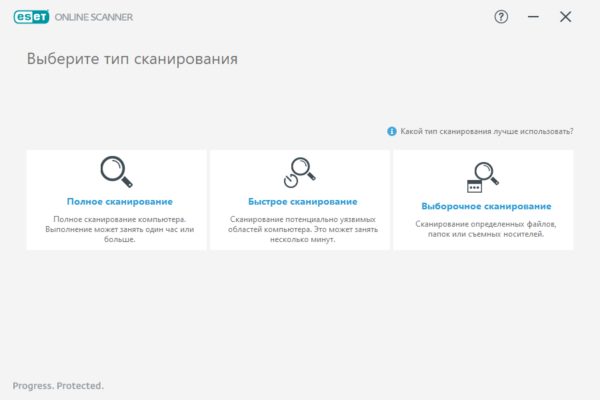
Full, Quick, and Custom Scans: Choose from various scan options depending on your needs.
Quarantine and Cleaning: Malicious files are quarantined or deleted safely.
Regularly Updated: The latest version includes updated malware definitions and scanning improvements.
Why Use ESET Online Scanner?
Many users rely on a primary antivirus but occasionally need a second layer of protection to ensure nothing slips through the cracks. That’s where ESET Online Scanner shines. It works independently of your existing antivirus software, scanning your system deeply without causing conflicts or slowdowns.
Unlike some other free scanners, ESET Online Scanner doesn’t push unnecessary installations or adware. It’s clean, focused, and does one job very well — detecting and removing threats.
What’s New in Version 3.7.9?
The 3.7.9 release brings improved scanning speed, better compatibility with the latest Windows 10 and 11 updates, and enhanced detection for ransomware and zero-day threats. Bug fixes and UI improvements also make it more intuitive for casual and advanced users alike.
How to Use ESET Online Scanner
Visit the official ESET Online Scanner page.
Click on “Scan Now” to download the executable file.
Run the file and follow the on-screen instructions.
Choose your preferred scan type.
Review the results and choose whether to quarantine or remove detected threats.
It’s that simple. No installation. No system reboot required. Just efficient scanning and malware removal.
System Requirements
Operating System: Windows 7/8/10/11 (32-bit or 64-bit)
RAM: Minimum 512MB
Disk Space: 100MB for temporary files
Internet Connection: Required for downloading and updates
Pros and Cons
Pros:
Free and lightweight
No installation needed
Excellent malware detection
Compatible with other antivirus tools
Cons:
Doesn’t offer real-time protection
Requires internet connection for updates
Conclusion
ESET Online Scanner 3.7.9 is a top-tier security tool for anyone seeking fast, effective, and hassle-free malware scanning. Whether you’re troubleshooting a slow PC or want a second opinion, this tool delivers peace of mind. With trusted detection capabilities and a user-friendly interface, it stands out among free antivirus scanners.
✔ Tested: This software was tested on Windows 10 & Windows 11 and works smoothly without issues.
Frequently Asked Questions
- Is this software free?
Yes, it can be downloaded and used for free. - Does it support Windows 11?
Yes, it works perfectly on Windows 10 and 11. - Is it safe to use?
Yes, the software was scanned and tested before publishing.
Last updated: January 2026