
Kaspersky Virus Removal Tool v20.0.12.0 is a powerful and free malware removal utility developed by Kaspersky Lab, one of the most trusted names in cybersecurity. This tool is designed to scan and eliminate viruses, worms, trojans, spyware, and other malicious threats from your computer without the need for a full installation. It’s the perfect solution for users who need an emergency virus cleaner or prefer not to install a full antivirus suite.
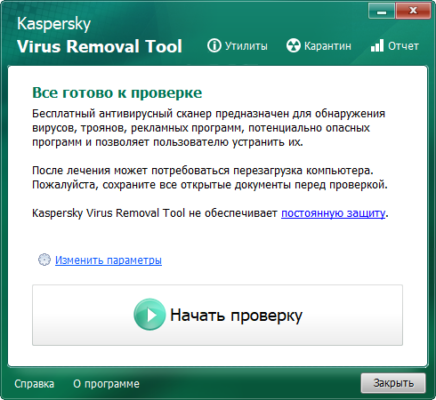
What Is Kaspersky Virus Removal Tool?
Kaspersky Virus Removal Tool (KVRT) is a standalone malware scanner that can detect and disinfect infected systems. It does not provide real-time protection but acts as a secondary defense layer for cleaning already-infected machines. Unlike traditional antivirus programs, it does not require setup or configuration—simply download, run, and let it clean your system.
This makes it ideal for both home users and IT professionals who need a quick and efficient way to remove viruses from any PC, including computers that already have another antivirus installed.
Key Features of Kaspersky Virus Removal Tool v20.0.12.0
- Portable and Lightweight: No installation is required. Just run the executable file to start scanning immediately.
- Advanced Detection Technology: Uses Kaspersky’s latest malware databases and heuristic analysis to detect both known and emerging threats.
- Comprehensive Scanning: Scans system memory, startup objects, boot sectors, and all available drives.
- Automatic and Manual Cleaning: The tool can automatically remove threats or let you review and decide what actions to take.
- Regular Updates: Kaspersky frequently updates the tool’s virus definitions to ensure the latest protection.
- Compatibility: Works alongside existing antivirus solutions without conflicts.
How to Use Kaspersky Virus Removal Tool
- Download the latest version of KVRT from the official Kaspersky website.
- Run the executable file (
KVRT.exe) directly—no installation needed. - Select scan targets such as system memory, startup objects, and drives.
- Click Start Scan to begin the process.
- After scanning, review the results and let the tool remove or quarantine detected threats.
The entire process is straightforward, and most users can complete it in a few minutes depending on system size and performance.
Why Choose KVRT Over Other Tools?
Unlike many free virus removal tools, KVRT combines Kaspersky’s enterprise-grade detection engine with the simplicity of a portable app. It’s perfect for emergency cleanups, especially if your system is heavily infected or if your regular antivirus has failed to remove a stubborn threat.
It’s also widely used by security technicians and system administrators as part of their malware cleanup toolkit. KVRT can run from a USB drive, making it a reliable option for disinfecting offline or inaccessible systems.
Final Verdict
Kaspersky Virus Removal Tool v20.0.12.0 is an essential tool for anyone concerned about system security. It’s fast, accurate, and completely free, offering a trusted way to clean infected computers. While it’s not a replacement for full-time antivirus protection, it serves as a powerful companion for on-demand scanning and malware removal.
If you suspect your PC might be infected or performing abnormally, KVRT is the perfect first step toward restoring a clean and secure system.
✔ Tested: This software was tested on Windows 10 & Windows 11 and works smoothly without issues.
Frequently Asked Questions
- Is this software free?
Yes, it can be downloaded and used for free. - Does it support Windows 11?
Yes, it works perfectly on Windows 10 and 11. - Is it safe to use?
Yes, the software was scanned and tested before publishing.
Last updated: January 2026