
Model railways are one of the most exciting hobbies, combining creativity, technical skill, and a passion for trains. However, planning a railway layout by hand can be time-consuming and often leads to mistakes. This is where AnyRail 7.83 comes in – a powerful software designed to help hobbyists and professionals create precise and realistic track plans before construction and buy.
In this article, we’ll explore the features, benefits, and technical details of AnyRail 7.83, and explain why it is considered one of the best tools for model railway enthusiasts.
What is AnyRail 7.83?
AnyRail is a specialized software created by DRail Modelspoor Software that allows users to design and plan model railroads with high accuracy. The software includes libraries from nearly every model railway manufacturer, ensuring that you can build your digital layout with the exact track pieces you own or plan to buy.
With its user-friendly interface and advanced features, AnyRail 7.83 provides a seamless experience for both beginners and experienced hobbyists.
Key Features of AnyRail 7.83
🛤 Comprehensive Track Libraries
AnyRail offers one of the most extensive collections of track systems available. It includes track libraries from major brands like Märklin, Hornby, Peco, Fleischmann, Atlas, and many more. This ensures that whatever track you’re working with, AnyRail supports it.
⚡ Automatic Snapping and Alignment
Building a track plan is simple with the automatic snapping feature. When placing track pieces, they automatically align and connect correctly, reducing the risk of design errors.
🎨 Customizable Layouts
You can design layouts of any size or shape. Whether you want a simple oval track or a complex multi-level railway with stations, tunnels, and bridges, AnyRail 7.83 gives you full flexibility.
📐 Realistic Measurements
Every element in AnyRail is drawn to scale, ensuring that your plan will match your real-world construction. This accuracy prevents costly mistakes when buying track pieces and accessories.
🔍 3D Visualization
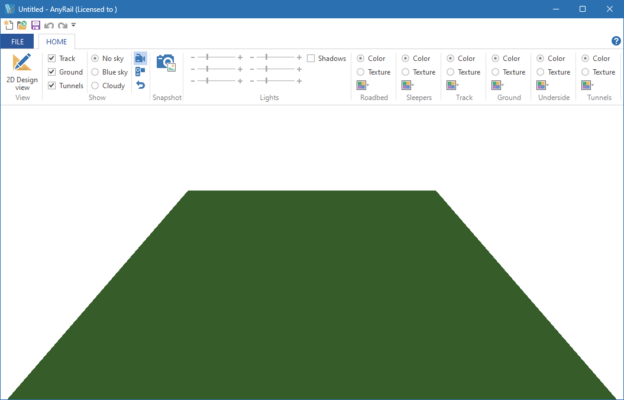
One of the highlights of AnyRail is its ability to render your track plan in 3D. This feature allows you to see how your design will look once built, providing better visualization and planning.
💾 Easy Export Options
After finishing your design, you can export your plan as images, PDFs, or even CAD files for further editing. This makes it easy to share your ideas with friends or take them to your model train club.
Benefits of Using AnyRail 7.83
Saves time: Quickly test and modify layouts before actual construction.
Reduces costs: Avoids buying unnecessary track pieces by planning accurately.
Boosts creativity: Experiment with new designs and ideas without physical limits.
Beginner-friendly: Intuitive interface makes it easy for new users to learn.
Professional results: Used by hobbyists, clubs, and professional model builders worldwide.
System Requirements
OS: Windows 7, 8, 10, 11 (64-bit)
Processor: Intel or AMD dual-core (2 GHz or faster)
RAM: 2 GB minimum (4 GB recommended)
Disk Space: ~80 MB free space
Graphics: Standard DirectX-compatible GPU
Conclusion
AnyRail 7.83 is the perfect tool for anyone passionate about model railways. Whether you are a beginner planning your first simple track or an advanced hobbyist designing a complex railway system, AnyRail provides the precision, flexibility, and ease of use you need.
By combining detailed libraries, realistic scaling, and powerful visualization tools, AnyRail saves time, reduces mistakes, and enhances creativity. If you’re serious about model railway design, AnyRail 7.83 is an essential piece of software to add to your toolkit.
✔ Tested: This software was tested on Windows 10 & Windows 11 and works smoothly without issues.
Frequently Asked Questions
- Is this software free?
Yes, it can be downloaded and used for free. - Does it support Windows 11?
Yes, it works perfectly on Windows 10 and 11. - Is it safe to use?
Yes, the software was scanned and tested before publishing.
Last updated: January 2026