KoboldCpp 1.97 is a self-contained AI inference engine designed to run GGML and GGUF models completely offline — no cloud, no accounts, no privacy trade-offs. With a rich UI inspired by KoboldAI and built upon llama.cpp, KoboldCpp brings text generation, story scenarios, image generation, and AI character interaction directly to your desktop, all from a single executable.
What Is New in Version 1.97
Smart Image Autogeneration mode: the AI intelligently decides when to generate images and can even create image prompts automatically.
GLM4.5 family and GPT-OSS support, expanding compatibility with new model architectures.
SWA mode: a lightweight memory-efficient mode for KV cache that significantly reduces RAM usage when enabled with
--useswa. Note: SWA is not compatible with ContextShifting and may impact FastForward performance.Save/load world info files independently, useful for story-based workflows.
Miscellaneous improvements: markdown per-turn rendering, better adapter templating, support for llama4 vision preprocessing, RisuAI character cards, SSE streaming default, and TTS support via Pollinations API.
Core Features of KoboldCpp
KoboldCpp enhances llama.cpp with a full-featured interface and expanded AI capabilities:
Runs GGML and GGUF models locally on CPU or GPU with zero installation needed.
Integrated KoboldAI Lite UI: persistent stories, world info panels, scenario setups, characters, memory tracking, and author notes.+1
Supports text generation, image gen (e.g., Stable Diffusion SD1.5/SDXL/Flux), speech-to-text, and text-to-speech via bundled APIs.
Offers multiple API endpoints (KoboldCppApi, OpenAI-compatible, A1111Forge, ComfyUI, Whisper, Pollinations, etc.) for integration and automation.
Why KoboldCpp 1.97 Stands Out
Offline privacy: keep your creative output and data local.
AI versatility: works with new model families like GLM4.5 & GPT-OSS.
Smart multistream AI: auto-deciding image generation and prompt creation.
Resource optimization: SWA mode conserves memory intelligently.
Rich UI and workflow: dedicated UI for storytellers, roleplayers, and creators.
Getting Started
Download the KoboldCpp v1.97 executable for Windows, Linux, or macOS from the official GitHub releases.GitHubSourceForge
Place a GGUF model (text or image) in the same folder as the executable.
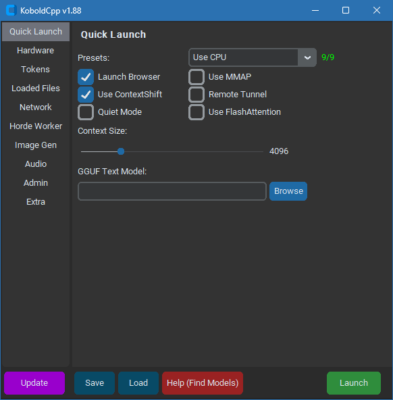
Launch the app, choose your model, and explore modes like Smart image generation or SWA via CLI flags.
Use the built-in UI to craft stories, run prompts, manage AI persona data, or generate images and speech.
Final Thoughts
KoboldCpp 1.97 offers a powerful, flexible, and entirely offline AI experience—whether you’re writing interactive stories, generating images, or scripting NPC behavior. Advanced features like smart image autogen and efficient SWA mode make it a top-tier choice for creators who want local control and high performance. Give your AI projects smarter, faster, and more private workflows with this latest version of KoboldCpp.
✔ Tested: This software was tested on Windows 10 & Windows 11 and works smoothly without issues.
Frequently Asked Questions
- Is this software free?
Yes, it can be downloaded and used for free. - Does it support Windows 11?
Yes, it works perfectly on Windows 10 and 11. - Is it safe to use?
Yes, the software was scanned and tested before publishing.
Last updated: January 2026