
Copying and pasting is one of the most common actions performed on a computer. However, the default Windows clipboard only stores one item at a time, which can be frustrating for users who need to manage multiple copied items. ClipClip 2.4.5985 solves this limitation by offering a free and powerful clipboard manager that stores, organizes, and gives instant access to multiple clips, including text, images, and files.
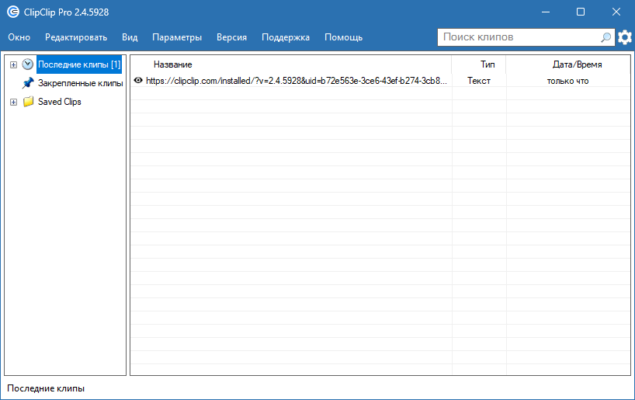
With its user-friendly interface and advanced features, ClipClip is designed for students, professionals, and anyone who wants to improve productivity.
What is ClipClip?
ClipClip is a lightweight, free clipboard manager for Windows. Instead of overwriting the last item copied, it keeps a history of all your copied content, making it easy to reuse information when needed. Beyond basic copy-paste, ClipClip introduces tools for organizing and managing clips for maximum efficiency.
Key Features of ClipClip 2.4.5985
1. Clipboard History
Stores all text, images, and files you copy.
Searchable history for quick retrieval.
2. Saved Clips
Save frequently used text (like email signatures, code snippets, or templates).
Organize clips into folders for easy access.
3. Multi-Format Support
Works with text, rich text, images, and file paths.
Supports copy-paste between applications seamlessly.
4. Cloud Integration
Save and sync clips across multiple devices.
Perfect for remote workers and teams.
5. Hotkey Shortcuts
Assign keyboard shortcuts for quick clip pasting.
Speed up repetitive tasks.
What’s New in Version 2.4.5985?
Improved stability and performance when handling large clip histories.
Enhanced search for faster clip retrieval.
Bug fixes and UI refinements.
Benefits of Using ClipClip
For Professionals
Easily store and reuse business emails, presentations, or reports without retyping.
For Developers
Save snippets of code and access them instantly while working.
For Students
Keep notes, research quotes, and references ready for assignments.
For Everyday Users
Manage copied images, links, and files without worrying about losing them.
How to Use ClipClip
Step 1: Download and Install
Get the installer from the official ClipClip websitem
✔ Tested: This software was tested on Windows 10 & Windows 11 and works smoothly without issues.
Frequently Asked Questions
- Is this software free?
Yes, it can be downloaded and used for free. - Does it support Windows 11?
Yes, it works perfectly on Windows 10 and 11. - Is it safe to use?
Yes, the software was scanned and tested before publishing.
Last updated: January 2026