
🧰 Inno Setup 6.4.3 – Advanced Windows Installer Tool
Inno Setup 6.4.3 is the latest version of the popular free installation tool for Windows. It allows developers to create professional, customizable installers using a powerful scripting language and advanced compression methods. The new update introduces enhancements for security, Unicode support, and development workflow.
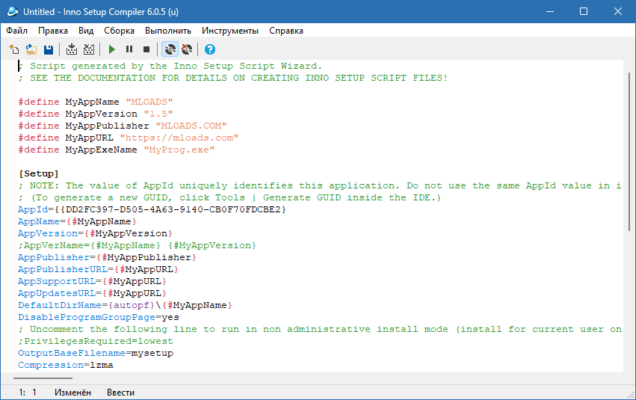
🆕 What’s New in Version 6.4.3
Key Features Added
ISSigTool Utility – A new command-line tool for signing files using ECDSA P-256, improving security for packaged applications.
Dialog Width Update – Setup dialogs are now 50% wider, preventing truncation of long file paths.
Undo/Redo Fix – Compiler IDE now correctly restores selection after undo or redo.
Autocomplete Improvements – Parameter name suggestions in script sections like
[Components]and[Dirs]now work correctly.Pascal Script Fixes –
Extract7ZipArchivefunction is now compatible with older Windows systems, avoiding errors.
⚙️ Core Features of Inno Setup
Powerful Compression
Inno Setup supports modern compression methods such as LZMA and LZMA2 for creating smaller and faster installers. It also allows solid compression for even better optimization.
Advanced Scripting
The tool includes a Pascal-based scripting engine that lets developers customize installer behavior, validate files, perform condition checks, and create dynamic installation steps.
Unicode Support
Full Unicode support ensures compatibility with multi-language setups and long filenames. The updated dialog width makes installers more user-friendly for international environments.
Code Signing and Security
The addition of ISSigTool allows developers to integrate file signing into their build process, ensuring authenticity and integrity of their installers.
✅ Advantages of Inno Setup 6.4.3
Free and widely trusted by developers worldwide.
Lightweight and fast compared to other installer builders.
Full scripting support for customization.
Enhanced Unicode support for global applications.
Integrated signing tool for better security.
⚠️ Considerations
Requires some scripting knowledge for advanced customization.
ISSigTool is still considered an experimental feature.
Not a full GUI-based solution; scripting is key for flexibility.
🧩 Use Cases
Creating multilingual software installers.
Building portable or compressed application packages.
Adding secure signing to installation files.
Automating builds in CI/CD pipelines using scripting and command-line tools.
🏁 Conclusion
Inno Setup 6.4.3 continues to evolve as one of the most reliable and flexible installation builders for Windows. With its new signing utility, enhanced Unicode support, and scripting improvements, it remains the go-to choice for developers who need full control over their installation packages. Whether you are deploying simple applications or complex enterprise software, this version delivers the features you need for modern Windows installations.
✔ Tested: This software was tested on Windows 10 & Windows 11 and works smoothly without issues.
Frequently Asked Questions
- Is this software free?
Yes, it can be downloaded and used for free. - Does it support Windows 11?
Yes, it works perfectly on Windows 10 and 11. - Is it safe to use?
Yes, the software was scanned and tested before publishing.
Last updated: January 2026