Office productivity software is essential for students, professionals, and businesses alike. While Microsoft Office dominates the market, many users seek a free and open-source alternative that offers similar functionality without subscription costs. LibreOffice 7.6.7 delivers just that—a complete office suite packed with powerful tools for word processing, spreadsheets, presentations, and more and buy.
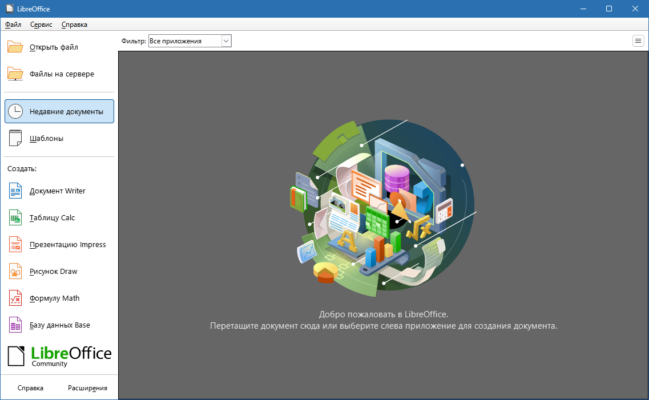
This latest release continues the project’s mission of providing a community-driven, feature-rich, and highly compatible solution for productivity tasks on Windows, macOS, and Linux.
What is LibreOffice?
LibreOffice is a free, open-source office suite developed by The Document Foundation. It includes several applications designed to cover all office-related tasks:
Writer – Word processing
Calc – Spreadsheets
Impress – Presentations
Draw – Diagrams and flowcharts
Base – Database management
Math – Formula editing
The suite is based on OpenOffice.org but has evolved rapidly, with continuous updates and active community support.
Key Features of LibreOffice 7.6.7
1. Writer (Word Processor)
Supports DOC, DOCX, ODT, and RTF formats.
Advanced styles, templates, and formatting tools.
Track changes and collaborate efficiently.
2. Calc (Spreadsheet)
Handles complex formulas and large datasets.
Pivot tables and chart creation.
Compatibility with Excel formats (.XLS and .XLSX).
3. Impress (Presentations)
Create multimedia-rich slideshows.
Built-in templates and animations.
Export directly to PDF or SWF.
4. Compatibility and File Support
Reads and writes Microsoft Office formats.
Supports OpenDocument standards.
Export to PDF with customizable options.
What’s New in LibreOffice 7.6.7?
Stability fixes for Writer, Calc, and Impress.
Enhanced file compatibility with MS Office formats.
Performance improvements for handling large documents.
Updated translations and accessibility refinements.
This version focuses on improving reliability, making it ideal for both personal and professional environments.
Benefits of Using LibreOffice
Cost-Effective Solution
LibreOffice is completely free, making it a great alternative to expensive office suites.
Open-Source and Community-Driven
Users benefit from constant improvements contributed by a global community of developers.
Cross-Platform Support
Runs smoothly on Windows, macOS, and Linux, ensuring flexibility across devices.
High Compatibility
Seamlessly opens Microsoft Office files, reducing migration challenges for businesses and individuals.
How to Download and Install LibreOffice 7.6.7
Step 1: Visit the Official Website
Download the latest stable version from libreoffice.org
✔ Tested: This software was tested on Windows 10 & Windows 11 and works smoothly without issues.
Frequently Asked Questions
- Is this software free?
Yes, it can be downloaded and used for free. - Does it support Windows 11?
Yes, it works perfectly on Windows 10 and 11. - Is it safe to use?
Yes, the software was scanned and tested before publishing.
Last updated: January 2026