
💻 Extra LiteOS 7 – Windows 7 SP1 x64 (Ultra‑Light December 2021 Edition)
Extra LiteOS 7 is a customized and heavily optimized version of Windows 7 SP1 x64 (English, December 2021 ESD edition), crafted by the community to provide a functional yet minimal operating system. The ISO size is around 2.1 GB, and the installed system uses approximately 10.9 GB, making it ideal for users with limited storage or legacy hardware.’
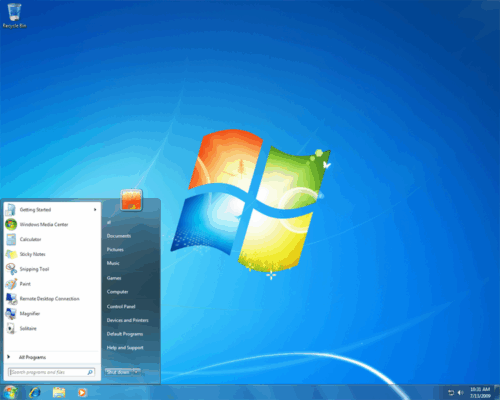
It retains core Windows features while removing non-essential components for ultra‑fast performance and low resource consumption. This edition is configured for English during installation, with support for adding other languages post-install.
🆕 What’s Special in Extra LiteOS 7?
🔧 Slimmed-Down Footprint
Compact ISO (≈2.1 GB) compared to standard Windows 7 images (~3–4 GB).
After installation, system footprint remains low (~10.9 GB), freeing disk space for apps and files.
⚙️ Removed Components
The build strips away features including but not limited to:
Microsoft Defender UI and Security Center
WinRE, Hyper-V, OneDrive, Screen Reader, Games, Internet Explorer
System Reset tools, Tablet PC extras, and various services
This cleanup improves startup time and reduces memory and CPU usage on older PCs.
⚙️ Core Features & Enhancements
🎨 Modern Look & Behavior
Despite being lightweight, it includes a Windows 10-style theme with Lite and Dark modes and updated icons to modernize appearance. It integrates .NET Framework 4.8, preserving compatibility with many modern applications.
🧩 Essential Compatibility
The build retains support for core OS features such as Backup and Restore, basic system utilities, and installer tools, ensuring usable experience on legacy platforms while removing unnecessary extras.
🌐 Language & Architecture
Install mode: English only, but additional languages can be added post-install.
Built for 64-bit systems (x64 architecture).
Includes theme tweaks and Office‑style UI options for a smoother user experience.
🧰 Who Should Use It?
Old or resource-limited hardware: Great for reviving vintage PCs or laptops with slow disks or low RAM.
Virtual Machines: Perfect for lightweight VMs where disk efficiency and speed matter.
Secure Offline Kiosks or Testing Environments: Minimal services mean fewer attack surfaces and faster boot/shutdown times.
⚖️ Advantages vs Limitations
| ✅ Advantages | ⚠️ Limitations |
|---|---|
| Tiny ISO and install footprint | Not officially supported by Microsoft |
| Fast boot and lightweight operation | Lacks many Windows 7 built-in features |
| Modern Lite/Dark themes and .NET support | Limited update support and driver compatibility |
| Great for old machines and virtual environments | Language install is English-only initially |
✔ Tested: This software was tested on Windows 10 & Windows 11 and works smoothly without issues.
Frequently Asked Questions
- Is this software free?
Yes, it can be downloaded and used for free. - Does it support Windows 11?
Yes, it works perfectly on Windows 10 and 11. - Is it safe to use?
Yes, the software was scanned and tested before publishing.
Last updated: January 2026