EaseUS RecExperts Pro 4.0.4: Capture, Edit & Share Your Screen Like a Pro 🎥✨
Whether you’re creating tutorials, recording gameplay, hosting webinars, or capturing video calls, EaseUS RecExperts Pro 4.0.4 delivers crystal-clear screen recording with powerful editing tools—all in one intuitive interface. Designed for both beginners and professionals, it’s the ultimate solution for high-quality screen capture on Windows and Mac.
🎯 Why Choose EaseUS RecExperts Pro?
Unlike basic screen recorders, RecExperts Pro 4.0.4 offers advanced features without complexity:
- Record full screen, window, or custom region
- Capture system sound, microphone, or both
- Simultaneous webcam overlay (picture-in-picture)
- Built-in video editor for trimming, cropping, and annotations
Perfect for educators, gamers, content creators, and remote workers alike.
✨ Key Features of RecExperts Pro 4.0.4
🖥️ 1. Flexible Recording Modes
Choose exactly what to record:
- Full screen or selected area
- Specific application window (e.g., Chrome, Zoom, Steam)
- Webcam only or screen + webcam (PiP mode)
Ideal for YouTube videos, software demos, or online course creation.
🔊 2. High-Quality Audio Capture
Record:
- System audio (from apps, games, or browsers)
- Microphone input (for voiceovers or commentary)
- Both tracks separately—so you can edit or mute one later!
🎮 3. Optimized for Gaming & Streaming
- Record gameplay in up to 4K resolution
- Minimal performance impact thanks to hardware acceleration
- Supports popular platforms: Steam, Epic, OBS-compatible workflows
✂️ 4. Built-in Video Editor
No need for extra software! After recording, you can:
- Trim unwanted parts
- Add text, arrows, or highlights
- Blur sensitive info (e.g., passwords)
- Export directly to MP4, MOV, AVI, GIF & more
🛠️ How to Use EaseUS RecExperts Pro 4.0.4 – In 3 Simple Steps
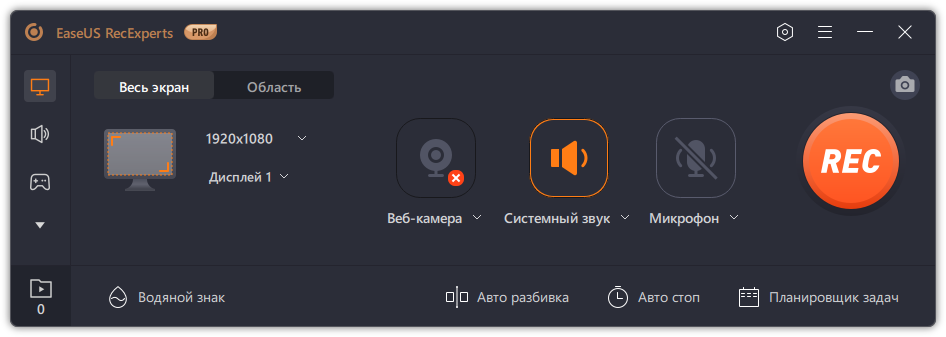
- 🎯 Select Area: Choose full screen, window, or drag to select a custom region.
- 🎙️ Configure Audio & Webcam: Toggle system sound, mic, and webcam as needed.
- ⏺️ Record & Export: Click “REC,” capture your content, then edit and save in your preferred format.
💡 Pro Tip: Use scheduled recording to auto-capture live streams or webinars—even when you’re away!
🆚 RecExperts Pro vs. Free Alternatives
With RecExperts Pro, you get studio-quality results without juggling multiple tools.
💡 Final Thoughts: Your All-in-One Recording Studio
EaseUS RecExperts Pro 4.0.4 isn’t just a screen recorder—it’s a complete content creation suite. Whether you’re a teacher recording a lesson, a gamer streaming highlights, or a marketer crafting product demos, this tool saves time, boosts quality, and simplifies your workflow.
🎬 Record smarter. Edit faster. Share anywhere.
🔒 Note: Always respect privacy and copyright. Do not record content you don’t own or have permission to share.
✔ Tested: This software was tested on Windows 10 & Windows 11 and works smoothly without issues.
Frequently Asked Questions
- Is this software free?
Yes, it can be downloaded and used for free. - Does it support Windows 11?
Yes, it works perfectly on Windows 10 and 11. - Is it safe to use?
Yes, the software was scanned and tested before publishing.
Last updated: January 2026