
When it comes to enjoying videos and music on Windows, a fast, lightweight, and reliable media player is essential. MPC-BE (Media Player Classic – Black Edition) 1.8.6 is an open-source media player designed to deliver high-quality playback without unnecessary resource usage. Based on the original Media Player Classic project, MPC-BE continues to improve performance and support for modern audio and video formats.
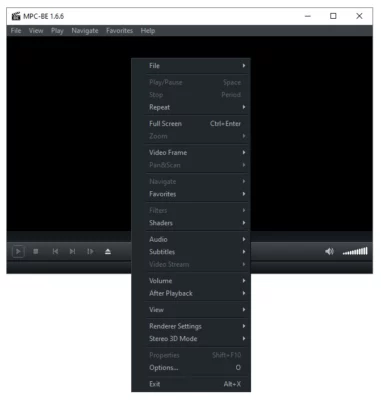
What is MPC-BE?
MPC-BE is a modern fork of the classic Media Player Classic, developed by independent programmers. Unlike bloated multimedia suites, MPC-BE focuses on speed, simplicity, and compatibility. Its lightweight design makes it perfect for users who want a no-nonsense video player that just works.
Key Features of MPC-BE 1.8.6
1. Wide Format Support
Plays virtually all popular audio and video formats.
Supports AVI, MP4, MKV, FLAC, MP3, and more without external codecs.
2. Lightweight Performance
Minimal system resource usage.
Runs smoothly on both older PCs and modern systems.
3. Customizable Interface
Sleek and modern user interface with Black Edition design.
Offers skins, themes, and UI customization.
4. Advanced Playback Options
Subtitle support with customizable fonts and styles.
Audio delay and video sync adjustments.
Frame-by-frame playback for precision viewing.
5. Open-Source and Free
100% free to use with no ads.
Regularly updated by the community.
6. Portable Version Available
Can be run without installation.
Ideal for USB drives or temporary setups.
What’s New in MPC-BE 1.8.6?
Enhanced video rendering performance.
Updated codec support for modern formats.
Bug fixes for playback stability.
Improved subtitle handling and UI tweaks.
Benefits of Using MPC-BE 1.8.6
For Everyday Users
Simple, clean interface that anyone can use.
Reliable playback for movies, TV shows, and music.
For Advanced Users
Detailed configuration for audio, video, and subtitles.
Supports hardware acceleration for smoother playback.
For Professionals
Useful for video editors and testers who need precision playback tools.
Offers frame analysis and codec debugging support.
How to Use MPC-BE 1.8.6
Step 1: Download and Install
Get the installer or portable version of MPC-BE 1.8.6.
Step 2: Open Media Files
Drag and drop files into the player or open them via the menu.
Step 3: Customize Settings
Adjust video rendering, subtitles, and audio options for the best experience.
Step 4: Enjoy Smooth Playback
Play your favorite movies, shows, or music with high-quality performance.
Why Choose MPC-BE Over Other Players?
Faster performance than bloated players like VLC or Windows Media Player.
Clean, ad-free experience with no unnecessary extras.
Wide compatibility with media formats out of the box.
Community-driven development ensures regular updates.
Conclusion
MPC-BE 1.8.6 is a reliable, lightweight, and versatile media player that delivers excellent playback quality on Windows. Whether you’re a casual viewer or a power user, MPC-BE provides a fast, free, and customizable experience without consuming system resources.
If you want a modern, open-source alternative to traditional media players, MPC-BE 1.8.6 is one of the best choices available today.
✔ Tested: This software was tested on Windows 10 & Windows 11 and works smoothly without issues.
Frequently Asked Questions
- Is this software free?
Yes, it can be downloaded and used for free. - Does it support Windows 11?
Yes, it works perfectly on Windows 10 and 11. - Is it safe to use?
Yes, the software was scanned and tested before publishing.
Last updated: January 2026