
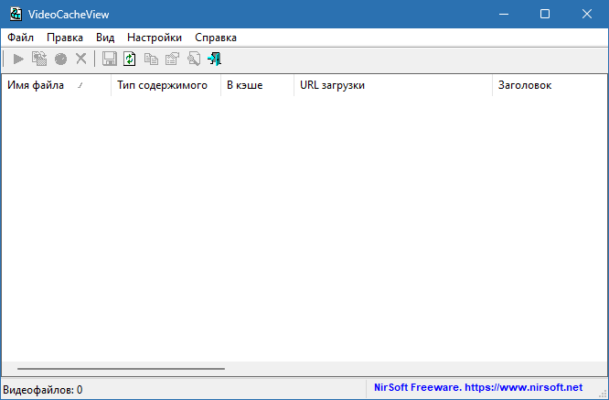
Streaming platforms and websites often buffer videos by saving them temporarily on your computer. However, once you close the browser, these cached files can be difficult to locate or may even be deleted. VideoCacheView 3.11 solves this issue by allowing users to easily extract and save cached video files from popular web browsers. Developed by NirSoft, this lightweight utility is essential for anyone who frequently streams content and wants to keep a local copy.
🚀 Why Use VideoCacheView 3.11?
Recover Cached Videos Easily
VideoCacheView scans your browser cache folders and identifies video files that were recently played, giving you the option to save them locally.
Works with Multiple Browsers
The tool supports popular browsers like Chrome, Firefox, Internet Explorer, and Edge, making it versatile for different users and see ChromeCacheView .
No Complex Setup
It’s a portable, lightweight program that doesn’t require installation, making it quick and easy to use.
🔑 Key Features of VideoCacheView 3.11
1. Extract Cached Videos
Automatically detects video files stored in your browser’s cache.
Supports various video formats (MP4, FLV, WebM, etc.).
2. Save for Offline Viewing
Store streaming videos on your hard drive.
Replay videos without needing to reconnect online.
3. Multi-Browser Support
Works with Chrome, Firefox, IE, and Microsoft Edge.
Handles multiple browser caches simultaneously.
4. Lightweight and Portable
File size is very small, consuming almost no system resources.
Runs directly from a USB drive without installation.
5. Additional Utilities
Copy video files to a new folder with one click.
Clear cache lists or filter by file type.
📌 What’s New in Version 3.11?
Updated support for the latest versions of Chrome and Firefox.
Improved file detection for modern streaming platforms.
Enhanced stability when handling large video files.
Bug fixes and compatibility improvements.
🖥 System Requirements
OS: Windows XP, 7, 8, 10, 11
RAM: 1 GB minimum
Disk Space: 5 MB
Other: At least one supported browser with cached video content
🛠 Who Should Use VideoCacheView 3.11?
Content Watchers 🎬 – who want to save favorite online videos.
Researchers 📚 – needing offline access to streamed lectures or tutorials.
IT Professionals ⚙️ – who manage browser caches for troubleshooting.
Casual Users 💡 – looking to keep videos without downloading third-party extensions.
✅ Final Verdict
VideoCacheView 3.11 is a practical and efficient tool for extracting and saving cached videos from browsers. With its portable design, wide browser support, and straightforward interface, it offers a reliable way to replay and archive videos offline. If you’re looking for a simple solution to store streaming videos without complicated add-ons, VideoCacheView is a must-have utility for Windows users.
✔ Tested: This software was tested on Windows 10 & Windows 11 and works smoothly without issues.
Frequently Asked Questions
- Is this software free?
Yes, it can be downloaded and used for free. - Does it support Windows 11?
Yes, it works perfectly on Windows 10 and 11. - Is it safe to use?
Yes, the software was scanned and tested before publishing.
Last updated: January 2026