
Over time, computers and external drives accumulate duplicate files such as photos, videos, documents, and music. These unnecessary copies consume valuable disk space, slow down your system, and make file organization difficult. 4DDiG Duplicate File Deleter 3.0.16 is designed to solve this problem by quickly identifying and removing duplicate files, helping users reclaim storage and maintain a clutter-free system and buy.
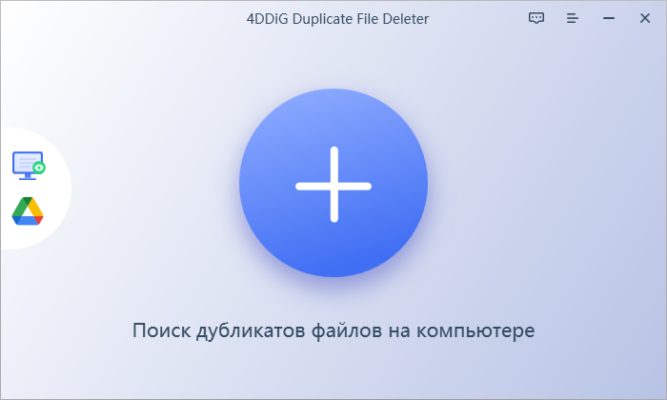
What is 4DDiG Duplicate File Deleter?
4DDiG Duplicate File Deleter is a powerful file management tool developed by Tenorshare. It scans your PC, external drives, or even cloud storage to locate duplicate files based on content, file name, and metadata.
Unlike manual deletion, which can be risky and time-consuming, this tool ensures accuracy and safety with advanced algorithms, preventing accidental deletion of important files.
Key Features of 4DDiG Duplicate File Deleter 3.0.16
1. Smart Duplicate Detection
The software uses MD5 hash algorithms and AI-based recognition to detect duplicate files regardless of file names or formats.
2. Wide File Type Support
Find duplicate photos, videos, audio files, documents, archives, and more with just one scan.
3. External Drive & Cloud Support
Scan not only your local disk but also external hard drives, USBs, and cloud platforms for duplicate files.
4. Flexible Filtering Options
Filter duplicates by file type, size, or modification date, ensuring more precise results.
5. Safe Preview Before Deletion
Users can preview duplicates before deletion, minimizing the risk of removing critical files.
6. One-Click Cleanup
Remove duplicates in bulk with one click, freeing up storage instantly.
7. User-Friendly Interface
Designed with simplicity in mind, the intuitive interface makes it suitable for both beginners and advanced users.
What’s New in Version 3.0.16?
Enhanced scanning speed and accuracy for large drives.
Improved compatibility with cloud services.
Bug fixes for smoother performance on Windows and macOS.
Optimized preview and deletion features for better safety.
Benefits of Using 4DDiG Duplicate File Deleter
For Everyday Users
Free up disk space and improve computer speed by removing redundant files.
For Photographers & Creators
Organize photo libraries, video collections, and music archives by eliminating duplicates.
For Businesses
Improve storage efficiency across workstations and shared drives, reducing IT management costs.
For Students & Professionals
Keep academic and work files organized without duplicate clutter.
How to Use 4DDiG Duplicate File Deleter 3.0.16
Step 1: Install the Software
Download and install 4DDiG Duplicate File Deleter 3.0.16 from the official website.
Step 2: Select Scan Location
Choose the folder, disk, or external drive you want to scan.
Step 3: Start Scanning
Run the scan and let the software detect all duplicate files.
Step 4: Review and Delete
Preview the detected files and select which ones to delete.
Step 5: Confirm Cleanup
Click Delete to remove duplicates and instantly free up storage space.
Use Cases
Cleaning up a photo collection with thousands of duplicate images.
Removing redundant music and video files across devices.
Organizing work or school projects by eliminating unnecessary copies.
Freeing up space on external drives or cloud storage.
Conclusion
4DDiG Duplicate File Deleter 3.0.16 is a reliable and user-friendly solution for managing duplicate files. With its smart detection algorithms, wide file type support, and safe preview features, it provides an effective way to free up disk space and improve system performance.
Whether you are a casual user, professional, or business, this tool helps maintain a clutter-free digital environment and ensures efficient storage management.
✔ Tested: This software was tested on Windows 10 & Windows 11 and works smoothly without issues.
Frequently Asked Questions
- Is this software free?
Yes, it can be downloaded and used for free. - Does it support Windows 11?
Yes, it works perfectly on Windows 10 and 11. - Is it safe to use?
Yes, the software was scanned and tested before publishing.
Last updated: January 2026