
What is BeeBEEP Messenger 5.8.6?
BeeBEEP Messenger 5.8.6 is a secure and private instant messaging application designed for communication within a local network (LAN). It allows users to chat, share files, and send group messages — all without needing an internet connection or external servers. Perfect for companies, schools, and organizations that prioritize privacy and internal communication, BeeBEEP provides reliable messaging in a lightweight package.
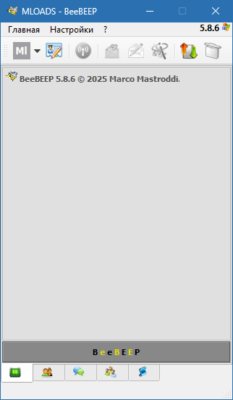
Key Features
Private and Secure Communication
BeeBEEP uses encryption to protect all messages and files shared between users, ensuring that your internal chats remain confidential and safe.
Works Without Internet
Unlike cloud-based messengers, BeeBEEP operates entirely over a local network, making it ideal for environments where internet access is limited or restricted.
File and Folder Sharing
You can easily send documents, images, and folders directly through the chat interface — no need for USB drives or external sharing platforms.
Group and Broadcast Messaging
BeeBEEP supports group chats and broadcast messages, allowing team leaders or IT admins to communicate efficiently with multiple users at once.
Simple and Lightweight Interface
With an intuitive interface, users can start chatting instantly without complex setup or registration.
Why Choose BeeBEEP Messenger 5.8.6?
BeeBEEP Messenger 5.8.6 is perfect for organizations that need a fast, secure, and offline communication tool. It promotes teamwork, enhances collaboration, and eliminates dependency on cloud servers or internet connectivity.
Conclusion
BeeBEEP Messenger 5.8.6 delivers an efficient and private communication experience for LAN users. With strong encryption, file sharing, and group chat support, it’s one of the best choices for local network messaging — secure, simple, and always available when you need it most.
✔ Tested: This software was tested on Windows 10 & Windows 11 and works smoothly without issues.
Frequently Asked Questions
- Is this software free?
Yes, it can be downloaded and used for free. - Does it support Windows 11?
Yes, it works perfectly on Windows 10 and 11. - Is it safe to use?
Yes, the software was scanned and tested before publishing.
Last updated: January 2026