In today’s digital workplace, the ability to create professional, secure, and well-formatted PDF files quickly is essential. Whether you’re printing reports, saving emails, or combining multiple documents into one file, pdfFactory Pro 9.12 offers a fast, reliable, and feature-rich solution and buy.
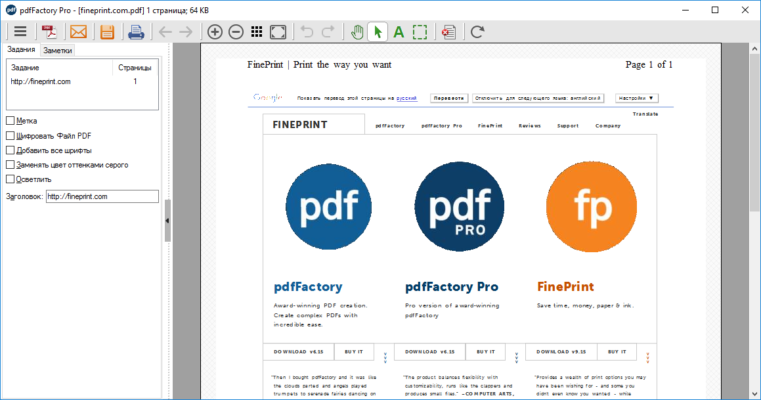
Developed by FinePrint Software , pdfFactory Pro is not just another PDF printer — it’s a professional-grade PDF creation tool that turns any printable document into a high-quality PDF with full control over layout, security, and output settings.
Let’s explore why pdfFactory Pro 9.12 remains a top choice for businesses, legal professionals, accountants, and power users who demand precision in their PDF workflows.
📌 What Is pdfFactory Pro 9.12?
pdfFactory Pro 9.12 is a virtual PDF printer for Windows that installs as a print driver. Once installed, it appears in your system as a printer option. Whenever you click “Print” in any application — such as Microsoft Word, Excel, Chrome, Outlook, or AutoCAD — you can select pdfFactory Pro to generate a PDF instead of sending the job to a physical printer.
What sets it apart from basic PDF tools is its advanced preview, merging capabilities, encryption options, and precise control over file size and quality — all without requiring Adobe Acrobat.
🛠️ Key Features of pdfFactory Pro 9.12
1. 🖨️ Universal PDF Creation
Create PDFs from any application that supports printing , including web browsers, email clients, CAD software, and legacy systems.
2. 🔍 Real-Time Preview Before Saving
See exactly how your PDF will look before creating it. You can add headers, footers, watermarks, and even remove unwanted pages during preview.
3. 📁 Combine Multiple Documents into One PDF
Merge print jobs from different applications into a single PDF. For example:
- Combine an email (from Outlook), a spreadsheet (Excel), and a chart (PowerPoint) into one file.
- Ideal for reports, proposals, and multi-source documentation.
4. 🔐 Password Protection & Security
Secure your PDFs with:
- User passwords (to open)
- Permissions passwords (to restrict printing, copying, editing)
- 128-bit or 256-bit AES encryption
Perfect for sensitive financial, legal, or HR documents.
5. 🧩 Optimize PDF Size
Compress images and streamline code to reduce file size — great for emailing large documents or saving storage space.
6. 💧 Add Watermarks & Overlays
Insert text or image watermarks (e.g., “Confidential”, “Draft”, or company logo) automatically on every page.
7. 🏷️ Custom Headers & Footers
Add dynamic content like date/time, page numbers, filenames, or custom text to every page header/footer.
8. 🔄 No External Dependencies
Works independently — no need for Adobe Reader, Ghostscript, or other third-party tools.
9. 🖥️ Supports Both 32-bit & 64-bit Systems
Compatible with modern versions of Windows 10 and 11 , including server environments.
10. 📎 Save as Draft & Resume Later
You can pause the creation process and finish later, giving you flexibility when preparing complex documents.
👥 Who Should Use pdfFactory Pro 9.12?
- Business Professionals: Create polished reports, contracts, and invoices.
- Accountants & Lawyers: Securely combine and send confidential client documents.
- IT Administrators: Deploy across networks for standardized PDF output.
- Engineers & Designers: Convert technical drawings and schematics to PDF.
- Office Workers: Simplify daily tasks like archiving emails or merging forms.
🖥️ System Requirements
- Operating System: Windows 11, 10, 8.1, 7, Server 2016–2022
- RAM: 512 MB minimum (1 GB recommended)
- Hard Disk Space: 20 MB free space
- Administrator Rights: Required for installation
- No Internet Required: Fully functional offline
📈 Why Choose pdfFactory Pro 9.12?
- ✅ Fast & Lightweight – Minimal impact on system performance
- ✅ True Document Merging – Combine sources seamlessly
- ✅ Enterprise-Grade Security – Full encryption and permissions
- ✅ No Adobe Needed – Standalone operation
- ✅ Trusted Since 2000 – Long-standing reputation for reliability
✅ Final Thoughts
pdfFactory Pro 9.12 is more than just a PDF creator — it’s a complete document management powerhouse built into a simple print interface. With its unmatched ability to merge, secure, and optimize PDFs on the fly, it continues to be a favorite among professionals who value efficiency, privacy, and control.
If you’re looking for a reliable, no-nonsense PDF solution that integrates smoothly into your existing workflow, pdfFactory Pro 9.12 is definitely worth using .
✔ Tested: This software was tested on Windows 10 & Windows 11 and works smoothly without issues.
Frequently Asked Questions
- Is this software free?
Yes, it can be downloaded and used for free. - Does it support Windows 11?
Yes, it works perfectly on Windows 10 and 11. - Is it safe to use?
Yes, the software was scanned and tested before publishing.
Last updated: January 2026