
ASCOMP Image Former Pro 2.012: Professional Batch Image Processing Made Simple 🖥️✨
Managing hundreds or thousands of images for websites, portfolios, or projects can be overwhelming. ASCOMP Image Former Pro 2.012 is a powerful Windows application designed to batch process images with precision and speed—allowing you to convert, resize, rename, add watermarks, and apply effects all in one streamlined workflow.
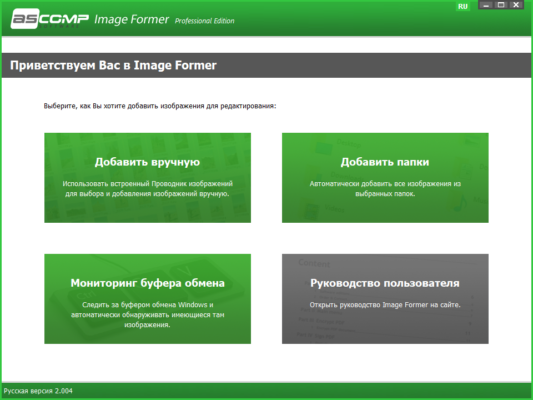
Whether you’re a photographer, web designer, e-commerce seller, or content creator, Image Former Pro saves hours of manual work with its intuitive interface and robust automation features.
🎯 Why Use ASCOMP Image Former Pro?
- ✅ True batch processing – handle multiple images at once
- ✅ Wide format support – JPG, PNG, BMP, TIFF, GIF, WebP, and more
- ✅ Advanced effects & watermarks – protect and enhance your images
- ✅ Customizable naming & folder structure
- ✅ Lightweight & fast – no bloated interface or slow performance
Perfect for professional image management without the complexity of full photo editors.
✨ Key Features of Version 2.012
🔄 1. Batch Image Conversion
- Convert between 20+ formats (JPG, PNG, BMP, TIFF, GIF, WebP, etc.)
- Preserve EXIF metadata (optional)
- Set custom quality levels for JPG compression
📏 2. Smart Resizing & Scaling
- Resize by percentage, pixels, or longest side
- Maintain aspect ratio or stretch as needed
- Crop, rotate, and flip in bulk
💧 3. Watermark & Text Overlay
- Add text or image watermarks (logos, signatures)
- Customize position, transparency, and size
- Apply watermarks conditionally (e.g., only to images above a certain size)
🎨 4. Built-in Effects & Filters
- Adjust brightness, contrast, saturation, hue
- Apply sharpening, blur, or sepia effects
- Border and frame options
📁 5. Flexible Output & Naming
- Save to original location or custom folder
- Use dynamic naming rules (e.g.,
IMG_001_resized.jpg) - Create subfolders based on date or custom rules
⚙️ 6. Preset Workflows
- Save and reuse conversion settings
- Apply the same workflow to different image sets
- Command-line support for automation (Pro version)
🛠️ Ideal For:
- Photographers: Resize portfolios or apply watermarks
- E-commerce Sellers: Optimize product photos for web
- Web Designers: Convert images to web-friendly formats
- Bloggers: Batch-process images for posts
- Social Media Managers: Create uniform image sets
💡 Tip: Use presets to save your most common workflows—like “Web JPG 80%” or “Watermarked PNG”.
🆚 Image Former Pro vs. Basic Tools
Image Former Pro strikes the perfect balance of power and simplicity for batch tasks.
💡 Final Thoughts: Process More, Click Less
ASCOMP Image Former Pro 2.012 turns a tedious, repetitive task into an efficient, automated process. By handling conversion, resizing, and enhancement in one go, it lets you focus on creativity, not busywork.
🖼️ Batch. Resize. Enhance. Automate.
🌐 Official website: https://www.ascomp.de (Note: Verify exact product page for Image Former Pro)
💻 Compatible with Windows 10 & 11 (32-bit & 64-bit)
✔ Tested: This software was tested on Windows 10 & Windows 11 and works smoothly without issues.
Frequently Asked Questions
- Is this software free?
Yes, it can be downloaded and used for free. - Does it support Windows 11?
Yes, it works perfectly on Windows 10 and 11. - Is it safe to use?
Yes, the software was scanned and tested before publishing.
Last updated: January 2026