Flip PDF 4.4.10.2 is a powerful digital publishing tool that allows users to easily convert static PDF documents into interactive flipbooks with page-turning effects. Designed for both beginners and professionals, Flip PDF offers a variety of features that make digital publishing fast, efficient, and visually appealing and buy.
🌟 Key Features of Flip PDF 4.4.10.2
📖 Convert PDF to Flipbook Instantly
Flip PDF allows you to transform any PDF file into a page-flipping digital book within minutes. The software retains all original links, bookmarks, and layouts, making the final output identical in content but more engaging in format.
🎨 Customizable Templates and Themes
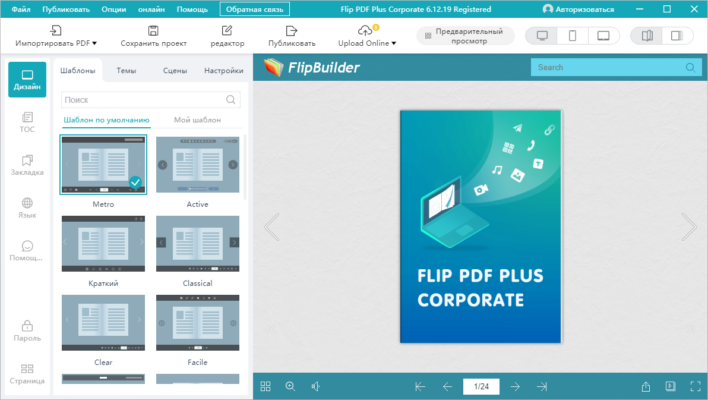
The software comes with multiple pre-designed templates and themes that can be customized. You can change the background, add your logo, insert music, and more to match your brand or style.
🌐 Publish Online or Offline
Whether you want to embed your flipbook on a website, share it via email, or distribute it on a USB drive, Flip PDF supports publishing in HTML, EXE, ZIP, and APP formats. It also allows direct uploading to the FlipBuilder cloud server.
🛠️ What’s New in Version 4.4.10.2?
Improved compatibility with large PDF files.
Enhanced HTML5 performance for faster page loads.
Updated interface for easier navigation and project management.
Bug fixes and performance optimizations.
💼 Who Should Use Flip PDF?
Flip PDF is ideal for:
Publishers: Create digital magazines, brochures, and catalogs.
Marketers: Design interactive product presentations.
Educators: Share visually appealing study materials or eBooks.
Corporate Teams: Generate internal reports or portfolios with added interactivity.
🔄 How to Use Flip PDF
Import PDF: Open the software and import your PDF file.
Customize: Choose a theme, add interactive elements like videos or links.
Preview: Review your flipbook to ensure everything looks great.
Publish: Export as HTML, EXE, or upload online.
💡 Advantages of Flip PDF
No coding or design skills needed.
Cross-platform output (PC, Mac, mobile-friendly).
SEO-friendly publications with support for meta tags.
Integrated Google Analytics support.
Supports batch conversion for processing multiple PDFs at once.
❓ Frequently Asked Questions (FAQs)
🔹 Can I use Flip PDF offline?
Yes, you can export your flipbook as an offline EXE or APP file to run without internet access.
🔹 Does it support multimedia?
Absolutely. You can add images, links, videos, and audio files to your flipbooks.
🔹 Is it compatible with mobile devices?
Yes, flipbooks created with Flip PDF are fully responsive and work on all major devices.
✅ Conclusion
Flip PDF 4.4.10.2 is one of the best tools for turning static PDF documents into interactive, professional-looking digital publications. Whether you’re a small business, content creator, or educator, this software can help you stand out with compelling flipbooks that enhance user engagement and improve content delivery.
✔ Tested: This software was tested on Windows 10 & Windows 11 and works smoothly without issues.
Frequently Asked Questions
- Is this software free?
Yes, it can be downloaded and used for free. - Does it support Windows 11?
Yes, it works perfectly on Windows 10 and 11. - Is it safe to use?
Yes, the software was scanned and tested before publishing.
Last updated: January 2026