
✉️ Betterbird 115.16.1-bb34 – A Smarter, Faster, and More Stable Email Client
📘 Introduction
Betterbird 115.16.1-bb34 is a modern, open-source email client based on Mozilla Thunderbird, built to offer enhanced features, improved stability, and a smoother user experience. It’s designed for users who love Thunderbird’s power but want more performance, convenience, and customization.
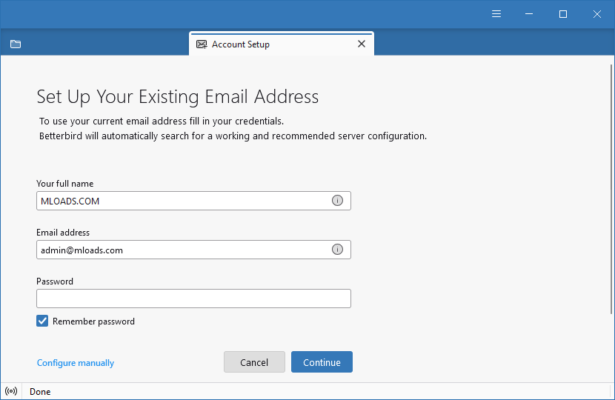
This version provides an elegant interface, better folder management, and numerous usability improvements that make handling large inboxes easier and faster than ever.
⚙️ Key Features of Betterbird 115.16.1-bb34
📬 1. Enhanced Thunderbird Core
Betterbird is built on the solid foundation of Thunderbird but adds numerous bug fixes, optimizations, and new features that the original version doesn’t include. Users can enjoy the same familiar environment with noticeable performance boosts.
🧭 2. Improved Message Handling
The app offers faster IMAP synchronization, smarter message caching, and better handling of large email databases. It ensures that even users with thousands of messages can manage their inbox effortlessly.
🎨 3. Modern & Customizable Interface
Betterbird introduces a cleaner, modern interface with improved dark mode support and icon themes. You can personalize the toolbar layout, reading pane, and folder view to match your workflow.
🔒 4. Privacy & Security
With built-in PGP encryption, advanced spam filtering, and improved connection security, Betterbird keeps your communication private and secure. It respects user data and never collects personal information.
⚡ 5. Advanced Features Not Found in Thunderbird
Editable sent messages ✏️
Better support for calendar and tasks
Multi-line message list for better readability
Configurable quick filter toolbar
Smoother scrolling and layout rendering
These improvements make Betterbird one of the most advanced email clients available for professionals and everyday users alike.
💼 Why Choose Betterbird?
✅ Stability: Built with a focus on fixing long-standing Thunderbird issues.
✅ Performance: Optimized code ensures faster load times and sync operations.
✅ User Experience: Sleeker design and better usability for daily communication.
✅ Open Source: 100% free, transparent, and community-driven.
Whether you’re managing personal email accounts or multiple professional inboxes, Betterbird offers a reliable and flexible platform for all your needs.
🖥️ System Requirements
Operating System: Windows 10 / 11, macOS, Linux
Processor: Intel or AMD 1.8 GHz or higher
RAM: Minimum 4 GB (8 GB recommended)
Storage: 500 MB free space
License: Free, open-source
🌐 Official Website
🔽 Download Betterbird 115.16.1-bb34 from Official Website
https://www.betterbird.eu
✔ Tested: This software was tested on Windows 10 & Windows 11 and works smoothly without issues.
Frequently Asked Questions
- Is this software free?
Yes, it can be downloaded and used for free. - Does it support Windows 11?
Yes, it works perfectly on Windows 10 and 11. - Is it safe to use?
Yes, the software was scanned and tested before publishing.
Last updated: January 2026