
Remote desktop software has become essential for businesses, IT professionals, and individuals who need to access computers from anywhere in the world. While commercial tools like TeamViewer or AnyDesk dominate the market, many users are searching for open-source and more secure alternatives. RustDesk 1.4.2 is one of the most promising free remote desktop applications, offering privacy, control, and reliability without subscription fees.
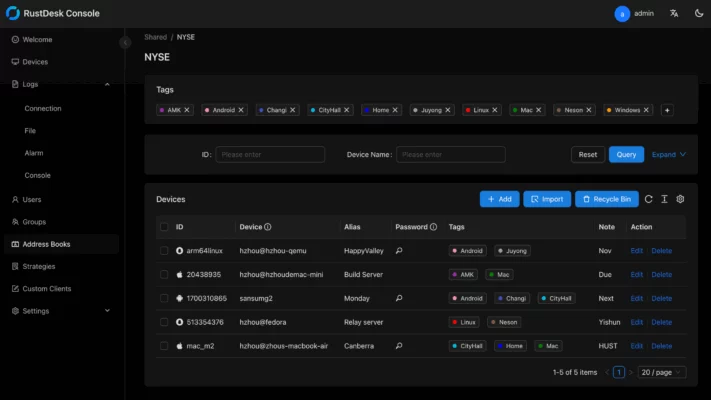
Why Choose RustDesk 1.4.2?
Open-Source Freedom
RustDesk is completely open-source, meaning the code is transparent and community-driven. Users can verify its security, contribute to development, or even host their own RustDesk server for maximum privacy.
Self-Hosting for Full Control
Unlike many competitors that rely on third-party servers, RustDesk allows self-hosting. This ensures that your remote desktop sessions and data remain private and are not routed through external servers.
Cross-Platform Support
RustDesk 1.4.1 works on Windows, macOS, Linux, Android, and iOS, making it easy to connect across devices. Whether you are controlling a desktop from a smartphone or accessing a server from a laptop, RustDesk delivers seamless performance.
Key Features of RustDesk 1.4.2
1. Secure Remote Access
RustDesk uses end-to-end encryption to ensure that all remote sessions are protected against unauthorized access. This makes it suitable for sensitive tasks such as system administration and confidential data management.
2. Fast and Reliable Performance
The software is optimized for low latency and smooth screen sharing. RustDesk 1.4.1 supports high-quality video streaming, clipboard synchronization, and file transfers between connected devices.
3. Easy Installation and Setup
Installing RustDesk is simple, and it does not require complicated configurations. Users can either connect via RustDesk’s public relay servers or set up a private self-hosted server for more security.
4. File Transfer Support
With RustDesk, transferring files between remote and local devices is straightforward. This feature is especially useful for IT support teams, developers, and remote workers.
5. Customization and Flexibility
Being open-source, RustDesk allows advanced users to modify the software, integrate it into their workflows, and build custom solutions.
What’s New in Version 1.4.2?
RustDesk 1.4.1 introduces several improvements and fixes to enhance stability and user experience:
Optimized connection stability on slow networks.
Better file transfer handling with larger files.
Improved security protocols for encrypted sessions.
Bug fixes and performance enhancements across all supported platforms.
These updates make the latest version more reliable and user-friendly for both professionals and everyday users.
Benefits for Businesses and Individuals
For Businesses
Cost-effective alternative to expensive commercial software.
Enhanced privacy through self-hosting.
Cross-platform compatibility for employees working on different systems.
For Individuals
Free remote access to personal computers from anywhere.
Simple setup with no technical expertise required.
Secure file transfers for personal documents and media.
Conclusion
RustDesk 1.4.2 stands out as a powerful, secure, and free remote desktop solution. Its open-source nature, strong encryption, and self-hosting capabilities make it a serious competitor to commercial tools like TeamViewer and AnyDesk. Whether you are a business owner seeking cost savings or an individual who values privacy and control, RustDesk 1.4.1 provides everything you need for safe and efficient remote access.
If you are looking for a reliable and open-source remote desktop application, RustDesk 1.4.1 is the perfect choice.
✔ Tested: This software was tested on Windows 10 & Windows 11 and works smoothly without issues.
Frequently Asked Questions
- Is this software free?
Yes, it can be downloaded and used for free. - Does it support Windows 11?
Yes, it works perfectly on Windows 10 and 11. - Is it safe to use?
Yes, the software was scanned and tested before publishing.
Last updated: January 2026