
📂 DirPrintOK 7.45 – Smart Tool to Print and Export Folder Contents
DirPrintOK 7.45 is a lightweight yet powerful Windows utility that allows users to print and export folder and file listings with just a few clicks. Whether you’re managing large file directories or need a quick overview of your disk structure, this tool helps you generate detailed reports in seconds.
Developed by Nenad Hrg, the creator of many reliable Windows tools, DirPrintOK provides users with an intuitive interface and efficient performance, making it perfect for professionals, IT admins, and everyday users.
🧭 What Is DirPrintOK?
DirPrintOK is a directory printer and file exporter that enables you to view, print, or save lists of files and folders directly from your hard drive, USB, or network storage. It’s particularly useful for documentation, file audits, and backups where you need a structured list of your system’s files.
The program eliminates the need for command-line scripts or manual copying — instead, it gives you an elegant graphical interface for instant results.
⚙️ Key Features of DirPrintOK 7.45
Print Folder Contents: Create printable reports of any directory on your system.
Export Options: Save results in multiple formats such as TXT, CSV, HTML, or XLS.
Filter and Sort: Apply filters by file type, size, or date for precise results.
Customizable Layouts: Adjust columns, sort order, and grouping to fit your needs.
Search Functionality: Instantly locate specific files or extensions within your reports.
Portable Version Available: Run DirPrintOK without installation — perfect for USB drives.
🧩 Simple and Efficient User Interface
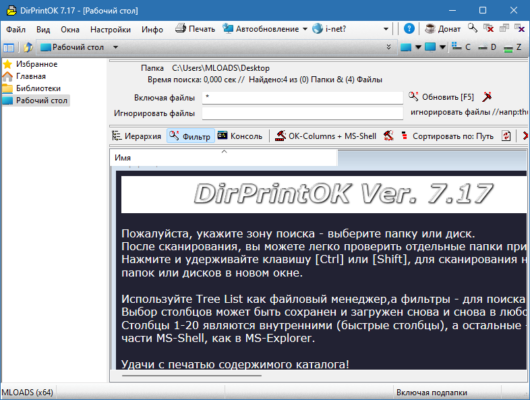
The interface of DirPrintOK 7.45 is designed for simplicity. It uses a familiar Windows Explorer-style layout, allowing users to navigate folders easily and choose directories for printing. You can preview your directory structure before printing or exporting, ensuring everything looks exactly how you want it.
Users can switch between multiple views, sort by columns, and even customize color schemes. Despite its advanced capabilities, the software remains fast and lightweight, consuming minimal system resources.
📊 Professional File Reporting
DirPrintOK is ideal for creating professional file reports. Whether you’re managing company archives, performing system documentation, or organizing your personal data, this software helps you generate structured reports for easy sharing or recordkeeping.
You can also add metadata like file size, creation date, and modification date — perfect for inventory or auditing purposes.
💡 Use Cases for DirPrintOK
Printing file lists for documentation or archiving
Exporting project folders for IT management
Creating an index of files stored on external drives
Generating CSV reports for data analysis
Comparing directory contents for backup verification
🚀 What’s New in Version 7.45
Improved performance with large directories
Enhanced export options for HTML and CSV formats
Better handling of network drives and cloud folders
Minor UI optimizations for faster navigation
🧠 System Requirements
DirPrintOK runs on Windows 7, 8, 10, and 11 (32-bit and 64-bit).
It requires less than 10 MB of disk space and no installation if you use the portable version — ideal for IT technicians and advanced users.
✅ Final Verdict
DirPrintOK 7.45 is one of the most reliable tools for users who need quick, organized, and customizable file and folder reports. It’s simple, fast, and doesn’t require complex setup — making it a must-have utility for professionals who deal with large file systems.
Official Website:
https://www.softwareok.com/?seite=Freeware/DirPrintOK
✔ Tested: This software was tested on Windows 10 & Windows 11 and works smoothly without issues.
Frequently Asked Questions
- Is this software free?
Yes, it can be downloaded and used for free. - Does it support Windows 11?
Yes, it works perfectly on Windows 10 and 11. - Is it safe to use?
Yes, the software was scanned and tested before publishing.
Last updated: January 2026