
🧭 Garmin Express 7.27: The Ultimate Companion for Your Garmin Devices
Garmin Express 7.27 is the official desktop software developed by Garmin Ltd. to manage, update, and synchronize Garmin GPS devices efficiently. Whether you own a Garmin navigation unit, smartwatch, or fitness tracker, this application provides a seamless way to keep your device software and maps up to date — ensuring optimal performance and accuracy.
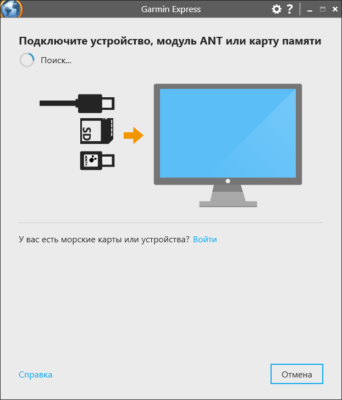
The program acts as a bridge between your computer and Garmin hardware, simplifying device management for both beginners and advanced users.
⚙️ Why Garmin Express 7.27 Matters
In today’s fast-paced world, accurate navigation and performance tracking are essential. Garmin Express ensures that your devices always operate with the latest maps, software patches, and firmware improvements.
Using Garmin Express 7.27, you can:
✅ Download and install new maps effortlessly.
✅ Sync fitness and activity data with your Garmin Connect account.
✅ Register new Garmin products in just a few clicks.
✅ Back up and restore data securely.
✅ Update firmware automatically to enhance stability and performance.
This all-in-one solution eliminates the need for manual downloads and tedious setup steps, keeping your Garmin ecosystem running smoothly.
🗺️ Key Features of Garmin Express 7.27
🧩 1. Map & Software Updates
Garmin Express automatically detects your connected device and notifies you of available updates. You can download the latest city maps, road data, and navigation improvements directly from Garmin’s official servers — ensuring your GPS always delivers precise directions.
🔄 2. Seamless Sync with Garmin Connect
The program integrates perfectly with Garmin Connect, allowing fitness enthusiasts to sync workouts, steps, heart rate, and route data to the cloud instantly. Your performance stats remain safe and accessible anywhere.
💾 3. Backup and Restore
Garmin Express 7.27 lets you back up saved routes, waypoints, and device settings — ideal if you upgrade to a new Garmin model or reinstall software.
🔐 4. Device Registration and Management
The software keeps track of all your registered devices, helping you manage multiple Garmin products from one dashboard.
⚙️ 5. Firmware Optimization
Each update includes firmware tweaks and stability enhancements, improving GPS accuracy, battery management, and connectivity with sensors and Bluetooth devices.
🧠 What’s New in Version 7.27
Garmin has refined the latest release to make it faster, more stable, and more user-friendly.
✨ Improved USB detection and faster device recognition.
✨ Enhanced compatibility with new Garmin smartwatches and Edge cycling units.
✨ Streamlined map download interface.
✨ Minor UI improvements and bug fixes.
✨ Better error handling for offline updates.
These enhancements make Garmin Express 7.27 more reliable than ever — whether you’re syncing daily runs or preparing for a long road trip.
🖥️ System Requirements
OS: Windows 10/11 (64-bit) or macOS 12 and later
RAM: Minimum 2 GB
Storage: 1 GB free space for installation (plus map data)
USB Port: For device connection
Internet: Required for updates and synchronization
🚴 Perfect for Every Garmin User
Garmin Express is essential for:
🚗 Drivers & Travelers: Keep road maps updated for accurate navigation.
🏃 Athletes & Runners: Sync training sessions automatically.
⌚ Smartwatch Users: Manage firmware and performance data.
🚴 Cyclists: Transfer routes and activity logs seamlessly.
Whether you use a Garmin Drive, Edge, or Forerunner, this tool ensures your device remains efficient and current.
💡 Final Thoughts
Garmin Express 7.27 stands as an indispensable tool for every Garmin user. With its intuitive interface, automatic updates, and secure synchronization, it simplifies device management while guaranteeing the best GPS and fitness tracking experience possible.
Keep your journeys accurate, your devices updated, and your performance data safe — all in one place.
🌍 Official Website
For the latest version and full support, visit the official developer’s website:
🔗 https://www.garmin.com/express
✔ Tested: This software was tested on Windows 10 & Windows 11 and works smoothly without issues.
Frequently Asked Questions
- Is this software free?
Yes, it can be downloaded and used for free. - Does it support Windows 11?
Yes, it works perfectly on Windows 10 and 11. - Is it safe to use?
Yes, the software was scanned and tested before publishing.
Last updated: January 2026