⚡ Windows PowerShell 7.5.4 – The Modern Command-Line and Automation Framework
💻 Introduction
Windows PowerShell 7.5.4 is the latest version of Microsoft’s powerful automation and configuration management framework, designed for IT professionals, system administrators, and developers. Built on the open-source .NET 8 platform, PowerShell 7.5.4 delivers enhanced performance, cross-platform support, and advanced scripting capabilities.
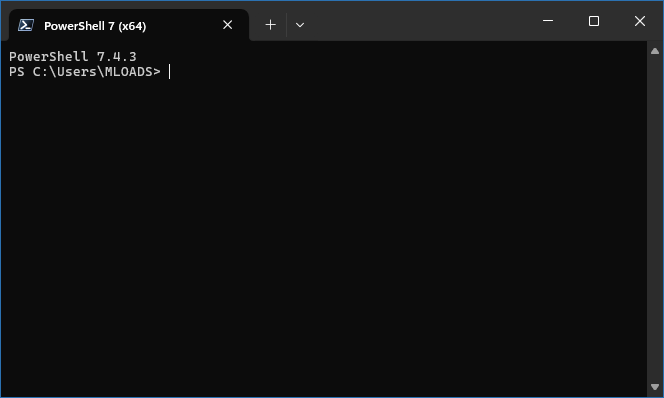
From automating repetitive system tasks to managing cloud services like Azure and Microsoft 365, PowerShell empowers users to control every aspect of their operating environment with precision and flexibility.
⚙️ Key Features of Windows PowerShell 7.5.4
⚡ 1. Cross-Platform Compatibility
Unlike earlier versions, PowerShell 7 runs seamlessly on Windows, Linux, and macOS, offering a unified scripting environment for administrators managing mixed systems.
🧠 2. Advanced Scripting and Automation
PowerShell 7.5.4 introduces improved scripting capabilities with new cmdlets, better pipeline performance, and enhanced compatibility with older PowerShell modules. It supports automation of almost any task — from user account management to cloud orchestration.
🧩 3. Powerful Object-Based Shell
Unlike traditional command-line tools that output plain text, PowerShell works with .NET objects, allowing users to manipulate structured data with extreme precision. This makes complex administrative tasks more efficient and script-friendly.
🔁 4. Parallel Execution and ForEach-Object -Parallel
This version improves multitasking with parallel processing support, letting users run multiple commands simultaneously to reduce script execution time dramatically.
🔐 5. Secure Remote Management
With built-in support for SSH, WSMan, and Just Enough Administration (JEA), PowerShell enables secure remote management of systems and servers across different environments.
🌐 6. Cloud and DevOps Integration
PowerShell 7.5.4 integrates smoothly with Azure CLI, AWS Tools for PowerShell, GitHub Actions, and Docker, making it a core tool in DevOps workflows and cloud automation pipelines.
💼 Why IT Professionals Choose PowerShell
🧩 Automation powerhouse: Automate complex administrative tasks efficiently.
🧠 Script once, run anywhere: Cross-platform scripting support.
🧰 Extensible modules: Thousands of community and Microsoft modules.
🔒 Enterprise-grade security: Built on trusted Microsoft frameworks.
🚀 Continuous updates: Frequent releases with performance improvements.
🧑💻 Common Use Cases
1. System Administration
Manage files, services, processes, registry, and users through simple cmdlets.
2. Cloud Management
Automate deployments, virtual machines, and storage in Azure and AWS.
3. DevOps Automation
Integrate with CI/CD tools for automated testing, builds, and deployments.
4. Reporting & Monitoring
Generate system reports and monitor logs in real time using PowerShell scripts.
🖥️ System Requirements
Operating System: Windows 10 / 11, macOS, or Linux
Framework: .NET 8.0 or higher
Processor: Intel or AMD x64 CPU
RAM: 2 GB minimum (4 GB recommended)
Storage: 200 MB of free disk space
License: Free and open-source under the MIT License
🌐 Official Website
Visit the official PowerShell page for installation guides and documentation:
https://github.com/PowerShell/PowerShell
🧠 Conclusion
Windows PowerShell 7.5.4 continues to be the most powerful command-line and automation tool for modern IT professionals. With its cross-platform design, advanced scripting capabilities, and integration with cloud services, it allows complete control over local and remote environments.
Whether you’re managing Windows servers, deploying applications to Azure, or automating repetitive tasks, PowerShell 7.5.4 provides the flexibility, performance, and security needed to get the job done efficiently.
If you rely on automation to boost productivity and streamline workflows, this version is an essential upgrade for your toolkit.
✔ Tested: This software was tested on Windows 10 & Windows 11 and works smoothly without issues.
Frequently Asked Questions
- Is this software free?
Yes, it can be downloaded and used for free. - Does it support Windows 11?
Yes, it works perfectly on Windows 10 and 11. - Is it safe to use?
Yes, the software was scanned and tested before publishing.
Last updated: January 2026