
GPXSee 13.31 — Powerful GPS Viewer and Analyzer for GPX, KML, and FIT Files
If you work with GPS tracks or map data, GPXSee 13.31 is one of the best open-source tools to help you analyze and visualize your routes. This lightweight yet powerful GPS viewer supports multiple file formats like GPX, KML, FIT, IGC, NMEA, and more, making it ideal for hikers, cyclists, and outdoor enthusiasts.
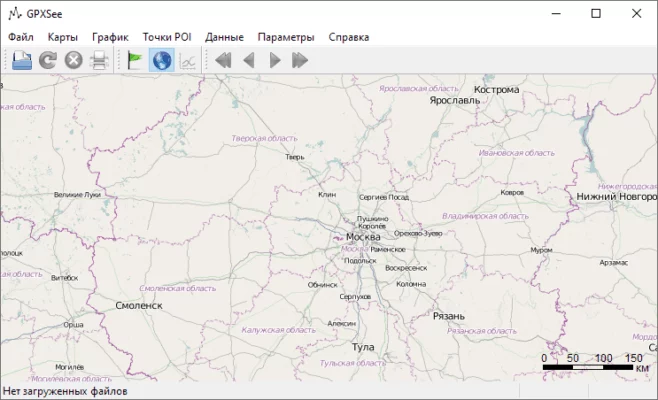
Multi-Format GPS Viewer
GPXSee can read and display data from a wide range of GPS file types, including GPX, KML, TCX, and FIT. You can easily open your files and explore detailed maps showing routes, elevations, and waypoints.
Detailed Track and Route Analysis
With GPXSee 13.31, users can analyze speed, distance, altitude, and time directly from the recorded GPS data. The software provides clear graphs and visual summaries that help users evaluate performance or plan future routes.
Offline Maps and Custom Layers
One of the strongest features of GPXSee is its support for offline maps. You can use custom map sources like OpenStreetMap, Google Maps, or offline tiles. This flexibility makes it perfect for field use without an internet connection.
Simple, Fast, and Lightweight
Unlike complex GIS software, GPXSee is fast, portable, and easy to use. It doesn’t require installation and can run directly from a USB drive. Despite its simplicity, it provides all essential tools for GPS data visualization and comparison.
Key Features
Supports GPX, KML, FIT, NMEA, and more
Displays elevation, speed, and distance graphs
Customizable map sources (online or offline)
Multi-track comparison and export tools
Cross-platform (Windows, macOS, Linux)
Portable and requires no installation
Ideal for Outdoor Enthusiasts and Professionals
Whether you’re a cyclist analyzing a race track or a hiker reviewing your mountain routes, GPXSee 13.31 helps you visualize and understand your journey with clarity. It’s also a useful tool for engineers, geographers, and anyone working with GPS data.
Conclusion
GPXSee 13.31 stands out as a free, reliable, and feature-rich GPS viewer. Its ability to handle multiple file types and display detailed maps makes it an essential tool for anyone who relies on GPS data for navigation, research, or adventure.
✔ Tested: This software was tested on Windows 10 & Windows 11 and works smoothly without issues.
Frequently Asked Questions
- Is this software free?
Yes, it can be downloaded and used for free. - Does it support Windows 11?
Yes, it works perfectly on Windows 10 and 11. - Is it safe to use?
Yes, the software was scanned and tested before publishing.
Last updated: January 2026