
In today’s fast-paced digital world, maximizing productivity means automating repetitive tasks — whether it’s launching apps at startup, backing up files nightly, or turning off your computer after work. While Windows comes with its own built-in Task Scheduler , many users find it complex, technical, and hard to navigate and see Tasks: to do list & tasks.
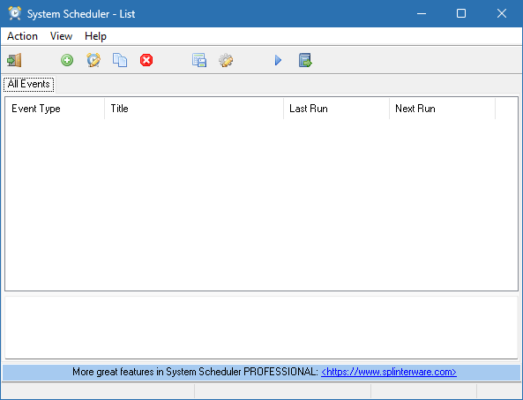
That’s where System Scheduler 5.60 steps in — a lightweight, intuitive, and powerful alternative that lets you automate virtually any action on your Windows PC using a simple graphical interface. No scripting knowledge needed.
Developed by MJM Software , System Scheduler 5.60 has been trusted by home users, IT professionals, and small businesses for decades. It simplifies task scheduling with drag-and-drop ease, reliable performance, and advanced options like Wake-on-LAN support, internet-triggered actions, and conditional execution .
Let’s explore why this tool remains one of the best choices for effortless PC automation.
📌 What Is System Scheduler 5.60?
System Scheduler 5.60 is a free-to-use desktop application for Windows 10, 8.1, 7, and older versions that allows you to schedule programs, scripts, files, URLs, system commands, and more to run automatically at specific times or under certain conditions.
Unlike the native Windows Task Scheduler, it features:
- A clean, visual calendar-style interface
- Simple wizards for quick setup
- Real-time monitoring of scheduled jobs
- Easy editing and management of tasks
It runs quietly in the background as a system tray icon and doesn’t slow down your PC.
Whether you want to:
- Launch your browser every morning
- Run antivirus scans overnight
- Shut down your PC at midnight
- Open monthly reports every 1st of the month
…System Scheduler 5.60 makes it all possible with just a few clicks .
🛠️ Key Features of System Scheduler 5.60
1. 🕒 Flexible Scheduling Options
Set tasks to run:
- Once only
- Daily, weekly, monthly
- At system startup or login
- When idle
- On specific dates
Perfect for recurring routines.
2. 💻 Run Any Program or Script
Automatically launch:
- Executable files (.exe)
- Batch files (.bat)
- PowerShell scripts
- Python scripts
- Document files (Word, Excel)
You can also pass arguments or run them minimized.
3. 🌐 Open Websites Automatically
Schedule your favorite websites to open at set times — ideal for daily news checks, dashboards, or monitoring tools.
Just enter the URL (e.g., https://mail.google.com ), and let the scheduler open it in your default browser.
4. ⏯️ Control System Actions
Trigger built-in Windows functions such as:
- Shutdown
- Restart
- Hibernate
- Log off
- Lock PC
- Play sound alerts
Great for saving energy or securing your workstation.
5. 🧩 Conditional Triggers
Run tasks based on conditions:
- Only if another program is not running
- Only during certain hours
- Only when the computer is idle
Avoid conflicts and improve efficiency.
6. ☀️ Wake-on-LAN Support (Advanced Use)
Schedule your PC to wake from sleep or hibernation to perform a task — perfect for unattended backups or updates.
Requires compatible hardware and BIOS settings enabled.
7. 📅 Visual Monthly Calendar View
See all your scheduled tasks laid out clearly on a calendar — instantly know what’s planned and when.
Drag-and-drop rescheduling supported.
8. 🔔 Pop-up Reminders & Notifications
Get alerts before or after a task runs — useful for reminders, meetings, or manual follow-ups.
9. 📁 Backup & Restore Schedules
Export your task list to a file and import it later — great for system migration or backup purposes.
10. 🧼 Lightweight & Reliable
Uses minimal CPU and RAM. Runs silently in the system tray without affecting performance.
👥 Who Should Use System Scheduler 5.60?
- Home Users: Automate media playback, website openings, or bedtime shutdowns.
- Students: Set study timers or launch learning apps automatically.
- Office Workers: Open daily dashboards, emails, or reports at startup.
- IT Admins: Deploy automated maintenance scripts across multiple machines.
- Freelancers & Remote Workers: Streamline workflows and reduce manual effort.
🖥️ System Requirements
- Operating System: Windows 11, 10, 8.1, 8, 7, Vista, XP (32-bit & 64-bit)
- RAM: 256 MB minimum
- Hard Disk Space: 10 MB free space
- No Installation Required: Portable version available
✅ Fully functional offline — no internet connection needed.
📈 Why Choose System Scheduler 5.60?
- ✅ No Coding Required – Truly beginner-friendly
- ✅ Free for Personal & Commercial Use
- ✅ Simpler Than Windows Task Scheduler
- ✅ Stable & Lightweight
- ✅ Trusted Since the 1990s
✅ Final Thoughts
System Scheduler 5.60 proves that powerful automation doesn’t have to be complicated. With its intuitive design, flexible triggers, and wide range of supported actions, it brings enterprise-level scheduling within reach of everyday users.
If you’re tired of doing the same things manually every day, System Scheduler 5.60 is a smart, reliable, and completely free solution to take control of your Windows PC.
For anyone looking to work smarter, save time, and automate routine tasks , System Scheduler 5.60 is definitely worth installing .
✔ Tested: This software was tested on Windows 10 & Windows 11 and works smoothly without issues.
Frequently Asked Questions
- Is this software free?
Yes, it can be downloaded and used for free. - Does it support Windows 11?
Yes, it works perfectly on Windows 10 and 11. - Is it safe to use?
Yes, the software was scanned and tested before publishing.
Last updated: January 2026