
Overview of PicGo 2.4.0-Beta9
PicGo 2.4.0-Beta9 is an advanced yet lightweight open-source image upload tool designed for developers, designers, and bloggers.
It simplifies the process of uploading images to various cloud storage services such as GitHub, SM.MS, Imgur, Qiniu, Aliyun OSS, and more.
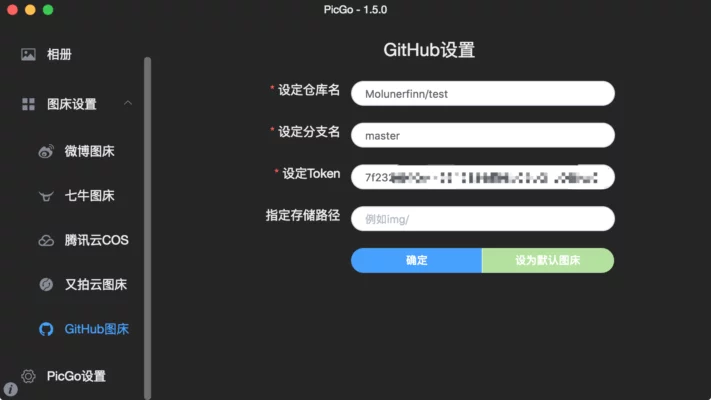
This version introduces performance improvements, plugin compatibility updates, and enhanced integration options for Markdown editors and IDEs.
Key Features
1. Multi-Platform Upload Support
PicGo supports multiple image hosting services. Users can easily configure their preferred platform and switch between them with just one click. Whether you’re storing screenshots on GitHub or using SM.MS for blog images, PicGo handles it seamlessly.
2. Quick and Efficient Uploading
The 2.4.0-Beta9 version improves upload speed and stability. You can drag and drop images directly into the window or use a shortcut key to upload instantly. Once uploaded, PicGo automatically copies the image URL to your clipboard — ideal for Markdown and HTML integration.
3. Plugin System
PicGo features an open plugin architecture that allows developers to extend functionality. Plugins are available for Watermarking, Compression, Cloud Backups, and even custom APIs. This flexibility makes PicGo suitable for both simple and advanced workflows.
4. Cross-Platform Compatibility
The application runs smoothly on Windows, macOS, and Linux. The interface remains consistent across systems, providing the same fast and responsive performance everywhere.
How It Works
Step 1: Configure Image Bed
After installation, open PicGo and go to Settings → Image Bed. Choose your preferred hosting platform and enter API keys or account credentials if required.
Step 2: Upload Images
Drag and drop files into the PicGo window or use the Ctrl + Shift + P shortcut. The tool uploads the image instantly and generates a direct link for pasting into your documents or websites.
Step 3: Manage Uploaded Files
PicGo allows you to view upload history, copy URLs, or delete files from the cloud directly within the app interface.
New in Version 2.4.0-Beta9
Improved plugin manager for easier installation and updates
Enhanced upload performance and error handling
Added more customization options for image naming and compression
Fixed minor bugs in authentication and proxy settings
Performance and Usability
PicGo 2.4.0-Beta9 is highly optimized for performance and ease of use. It consumes minimal resources while maintaining fast response times, even during bulk uploads.
The intuitive interface makes it accessible for both beginners and advanced users, especially those who frequently publish technical content online.
Pros and Cons
Pros
Supports multiple cloud image hosts
Fast upload with auto-copy URL feature
Plugin system for extended functionality
Cross-platform and open-source
Cons
Some plugins may require manual configuration
Beta version may include minor stability issues
Conclusion
PicGo 2.4.0-Beta9 is one of the best image upload tools for developers, bloggers, and content creators.
It combines speed, flexibility, and automation, making it ideal for anyone who frequently embeds images in Markdown files, blogs, or documentation.
With continued updates and strong community support, PicGo remains a must-have utility for managing cloud-based image uploads efficiently.
✔ Tested: This software was tested on Windows 10 & Windows 11 and works smoothly without issues.
Frequently Asked Questions
- Is this software free?
Yes, it can be downloaded and used for free. - Does it support Windows 11?
Yes, it works perfectly on Windows 10 and 11. - Is it safe to use?
Yes, the software was scanned and tested before publishing.
Last updated: January 2026