
IMOU 2.9 for Windows — Smart and Reliable Camera Management
IMOU 2.9 for Windows is a professional software designed to help you monitor, record, and control your IMOU smart cameras directly from your computer. Whether you’re using a home surveillance system or managing multiple cameras for business, IMOU provides a clean and user-friendly interface for seamless control.
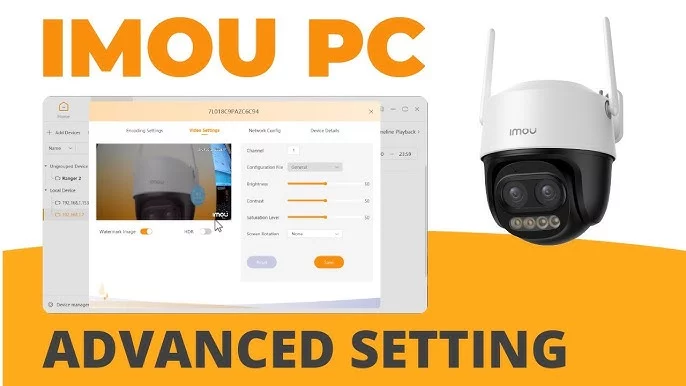
Key Features of IMOU 2.9
Full HD Live View: Watch real-time camera footage with smooth playback and low latency.
Two-Way Audio: Communicate directly through your cameras with built-in microphones and speakers.
Smart Alerts: Receive instant notifications when motion or sound is detected.
Multi-Device Support: Connect and manage multiple IMOU devices from one dashboard.
Local and Cloud Storage: Save video clips locally or back them up to the IMOU cloud securely.
System Requirements
Operating System: Windows 10 / 11 (32-bit & 64-bit)
RAM: 2 GB minimum (4 GB recommended)
Processor: Intel Core i3 or better
Internet Connection: Required for remote access and cloud features
How to Use IMOU on Windows
Download and install IMOU 2.9 for Windows.
Sign in with your IMOU account or create a new one.
Add your camera devices by scanning the QR code or entering the serial number.
Monitor and control your cameras, set motion alerts, and adjust recording preferences.
Why Choose IMOU 2.9
IMOU 2.9 is designed for simplicity and security. It combines AI-powered detection, high-quality video streaming, and remote access into one platform. Whether for home safety or business monitoring, IMOU ensures you stay connected to what matters most.
✔ Tested: This software was tested on Windows 10 & Windows 11 and works smoothly without issues.
Frequently Asked Questions
- Is this software free?
Yes, it can be downloaded and used for free. - Does it support Windows 11?
Yes, it works perfectly on Windows 10 and 11. - Is it safe to use?
Yes, the software was scanned and tested before publishing.
Last updated: January 2026