
Pidgin is a widely used open-source instant messaging client that supports multiple platforms and protocols. With the latest release Pidgin 2.14.14, combined with Off-the-Record (OTR) 4.0.2 plugin, users gain enhanced security, privacy, and encryption for their online communications. This makes it one of the most reliable messaging tools for individuals and professionals who prioritize safe conversations.
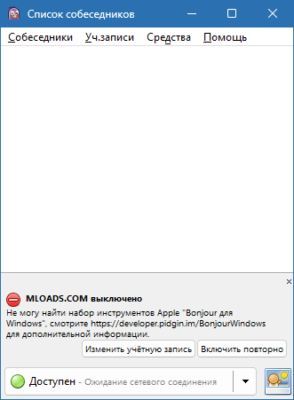
Why Choose Pidgin for Messaging?
Pidgin has been around for many years and continues to be popular because of its simplicity and flexibility. It allows users to connect to various chat networks such as:
- Google Talk / XMPP
- IRC
- ICQ
- AIM (legacy)
- And other supported messaging protocols
This means you can manage all your chats from one clean, unified interface without switching between multiple apps.
The Importance of OTR 4.0.2 Plugin
While Pidgin offers connectivity and usability, the OTR (Off-the-Record) plugin provides the critical feature of end-to-end encryption. With OTR 4.0.2, you can be assured that your conversations remain private and secure from third-party interception. Key features include:
- Strong encryption ensuring only you and your contact can read the messages.
- Authentication to confirm the identity of your chat partner.
- Forward secrecy, meaning past conversations remain secure even if encryption keys are compromised.
- Deniability, ensuring that messages cannot be later used as evidence of communication.
This level of protection makes Pidgin with OTR ideal for journalists, activists, and professionals handling sensitive data.
New Features in Pidgin 2.14.14
The latest update to Pidgin introduces several bug fixes, performance improvements, and better protocol support. Some highlights include:
- Stability improvements for modern systems.
- Enhanced compatibility with Linux, Windows, and macOS.
- Security patches to address vulnerabilities.
- Refined user interface elements for better usability.
Combined with OTR 4.0.2, these updates make the software more secure and user-friendly than ever before.
How to Install Pidgin with OTR
- Download and install Pidgin 2.14.14 from the official source.
- Install the OTR 4.0.2 plugin separately.
- Enable the plugin from the Pidgin preferences menu.
- Configure encryption settings for your chat accounts.
Once configured, every conversation can be encrypted automatically, ensuring that your privacy remains intact.
Conclusion
Pidgin 2.14.14 with OTR 4.0.2 remains a powerful combination for secure and flexible messaging. Its open-source foundation, multi-platform support, and strong encryption features make it a trustworthy choice for anyone who values privacy. Whether you’re chatting with friends or conducting professional conversations, Pidgin ensures that your communication is both convenient and secure.
✔ Tested: This software was tested on Windows 10 & Windows 11 and works smoothly without issues.
Frequently Asked Questions
- Is this software free?
Yes, it can be downloaded and used for free. - Does it support Windows 11?
Yes, it works perfectly on Windows 10 and 11. - Is it safe to use?
Yes, the software was scanned and tested before publishing.
Last updated: January 2026