
For developers, system administrators, and IT professionals, a powerful terminal is one of the most important tools. Tabby 1.0.221 is a modern, cross-platform terminal emulator that combines speed, flexibility, and advanced features in one lightweight package. Built with customization and productivity in mind, Tabby helps users manage multiple sessions efficiently while providing a polished and user-friendly interface.
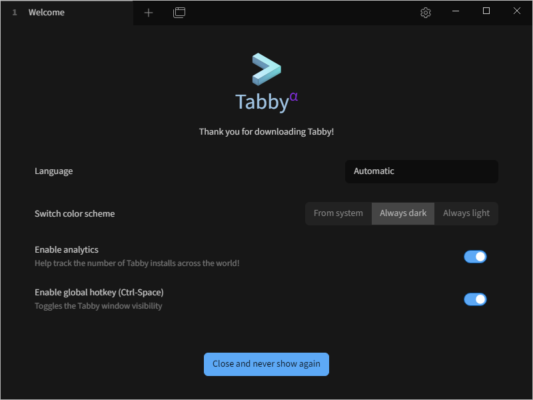
Why Choose Tabby 1.0.221?
Unlike traditional terminals, Tabby goes beyond basic command-line functionality. It supports multiple tabs, themes, plugins, and SSH connections—all in a single application. This makes it an excellent choice for developers who regularly switch between projects, remote servers, and programming environments.
Key Features of Tabby 1.0.221
- Cross-Platform Support: Available on Windows, macOS, and Linux.
- Tabbed Interface: Manage multiple sessions simultaneously with ease.
- Customizable Appearance: Change colors, fonts, and layouts to match your style.
- SSH & Serial Support: Securely connect to remote servers and devices.
- Plugin Ecosystem: Extend functionality with community plugins.
- Integrated Hotkeys: Save time with shortcuts for frequent tasks.
- Improved Performance: Version 1.0.221 offers smoother handling of large outputs and enhanced stability.
Benefits of Using Tabby
Tabby 1.0.221 offers several advantages that make it stand out from traditional terminal applications:
- Productivity Boost: Quickly switch between tasks with tabs and split panes.
- Better Workflow Management: Organize multiple projects in a single window.
- Customization Freedom: Adapt the terminal to your preferences.
- Remote Work Ready: Built-in SSH simplifies server management.
- Community-Driven Updates: Open-source project with frequent improvements.
Tabby vs Other Terminal Emulators
When compared with alternatives like PuTTY or Hyper, Tabby 1.0.221 stands out due to its modern design and plugin ecosystem. While PuTTY is lightweight but limited, Tabby delivers a balance between simplicity and advanced features. It combines the usability of a GUI with the power of a traditional CLI, making it suitable for both beginners and experienced professionals.
Best Use Cases for Tabby 1.0.221
- Developers: Manage multiple coding sessions across different projects.
- System Administrators: Monitor and control remote servers with ease.
- IT Professionals: Use SSH and serial connections in a single platform.
- Cross-Platform Teams: Standardize workflows across operating systems.
Final Thoughts
Tabby 1.0.221 is a robust, modern terminal emulator designed for developers and IT professionals who value efficiency, flexibility, and customization. With features like tabs, SSH integration, plugins, and a sleek interface, it goes beyond the limitations of traditional terminals.
Whether you are coding, managing servers, or running scripts, Tabby 1.0.221 provides a powerful yet user-friendly environment to get the job done. For anyone looking for a modern alternative to outdated terminals, Tabby is the perfect choice.
✔ Tested: This software was tested on Windows 10 & Windows 11 and works smoothly without issues.
Frequently Asked Questions
- Is this software free?
Yes, it can be downloaded and used for free. - Does it support Windows 11?
Yes, it works perfectly on Windows 10 and 11. - Is it safe to use?
Yes, the software was scanned and tested before publishing.
Last updated: January 2026