When working with PDF documents, you may often need to extract images for reuse in presentations, websites, or design projects. However, manually copying or screenshotting images can lead to poor quality and formatting issues. That’s where ASCOMP PDF Imager Pro 2.010 comes in — a professional tool designed specifically to extract, convert, and manage images embedded in PDF files with exceptional accuracy and ease and buy.
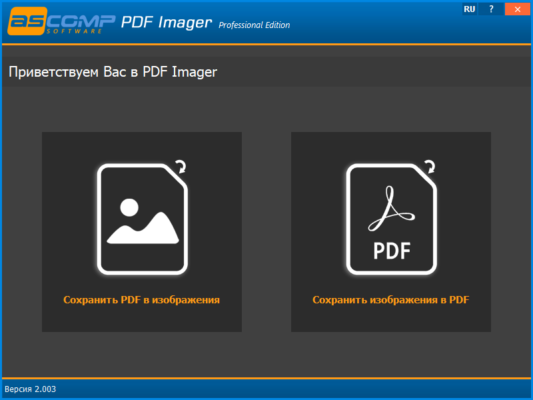
Whether you’re a designer, developer, educator, or office worker, this software helps you unlock visual content from any PDF quickly and efficiently.
📌 What Is ASCOMP PDF Imager Pro 2.010?
ASCOMP PDF Imager Pro 2.010 is a dedicated image extraction tool that allows users to extract all images from PDF documents in high resolution. Unlike general-purpose PDF editors, it focuses on image handling , making it faster and more effective for tasks involving graphics, photos, charts, and illustrations within PDFs.
The software supports batch processing, multiple output formats, and advanced settings for image quality and naming — ideal for professionals who work with large volumes of document-based visuals.
🛠️ Key Features of ASCOMP PDF Imager Pro 2.010
1. 🖼️ Extract All Images from PDF Files
Automatically scan and extract every embedded image from a PDF, including photos, logos, diagrams, and icons — without missing hidden or layered graphics.
2. 🔁 Convert PDF Images to Multiple Formats
Export extracted images in popular formats such as JPG, PNG, TIFF, BMP, GIF, and EMF , ensuring compatibility with design tools, web platforms, and print media.
3. 📦 Batch Processing Support
Process multiple PDF files at once using the batch mode , saving time when extracting images from large document sets.
4. 🎨 High-Quality Output with Resolution Control
Adjust DPI and image quality settings to ensure exported images are suitable for both screen and print use — perfect for designers and publishers.
5. 🧾 Preview Images Before Export
Preview all detected images directly in the interface before exporting. You can select specific images or extract all at once.
6. 🏷️ Smart File Naming Options
Automatically name output files using customizable patterns like filename_page_001_image_01.png, helping you keep your image library organized.
7. 🖥️ Works Without Adobe Acrobat
ASCOMP PDF Imager Pro operates independently — no need for Adobe Reader or Acrobat installation.
8. 🧼 Lightweight & Fast Performance
Despite its powerful features, the software is lightweight and runs efficiently on older systems without slowing down your PC.
👥 Who Should Use ASCOMP PDF Imager Pro 2.010?
- Graphic Designers: To extract high-quality visuals from client PDFs or brochures.
- Web Developers: For reusing icons, banners, or graphics from digital documents.
- Educators & Students: To save charts, diagrams, or illustrations for reports and presentations.
- Office Workers: For archiving or repurposing images from manuals, contracts, or catalogs.
- Content Creators: To gather visual assets legally owned from PDF-based resources.
🖥️ System Requirements
- Operating System: Windows 11, 10, 8.1, 8, 7 (32-bit & 64-bit)
- Processor: 1 GHz or faster
- RAM: 512 MB (1 GB recommended)
- Hard Disk Space: 50 MB free space
- .NET Framework: 4.0 or higher
📈 Why Choose ASCOMP PDF Imager Pro 2.010?
- Specialized Tool: Focused solely on image extraction — faster and more accurate than general PDF tools.
- Batch Processing: Save hours when dealing with multi-page PDFs or large file collections.
- High-Quality Output: Maintain original resolution and clarity.
- User-Friendly Interface: Simple drag-and-drop functionality with clear preview options.
- Standalone Operation: No dependency on Adobe software.
✅ Final Thoughts
ASCOMP PDF Imager Pro 2.010 is a must-have tool for anyone who regularly needs to extract and reuse images from PDF files . Its combination of speed, accuracy, and flexibility makes it stand out among image extraction tools.
If you’re tired of struggling to copy images from PDFs or losing quality during conversion, ASCOMP PDF Imager Pro 2.010 offers a fast, reliable, and professional solution.
✔ Tested: This software was tested on Windows 10 & Windows 11 and works smoothly without issues.
Frequently Asked Questions
- Is this software free?
Yes, it can be downloaded and used for free. - Does it support Windows 11?
Yes, it works perfectly on Windows 10 and 11. - Is it safe to use?
Yes, the software was scanned and tested before publishing.
Last updated: January 2026