HDShredder 4.0.2 is a powerful and reliable data destruction tool designed to permanently erase all information from your hard drives, SSDs, and external storage devices. Developed by Miray Software, HDShredder ensures that deleted files cannot be recovered by any means, making it the perfect solution for users who value privacy and data protection.
Complete and Secure Data Erasure
When you delete files normally, traces of data often remain on your storage device. HDShredder 4.0.2 goes beyond standard deletion by overwriting every sector of your drive with secure algorithms, preventing any recovery attempts. It supports multiple international data wiping standards such as DoD 5220.22-M and Gutmann, guaranteeing total security.
User-Friendly Interface and Flexible Options
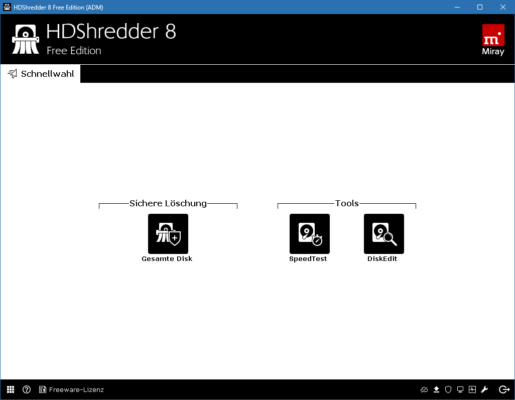
Despite its advanced technology, HDShredder maintains a simple and intuitive interface. Whether you’re a beginner or an IT professional, the step-by-step wizard makes it easy to select drives, choose erasure methods, and start the process safely. The software provides both quick wipes for convenience and deep erasures for maximum security.
Support for HDD, SSD, and External Drives
HDShredder 4.0.2 works with all types of storage media, including hard disk drives, solid-state drives, USB flash drives, and memory cards. The program automatically detects connected devices and provides detailed information before wiping, ensuring you always target the correct drive.
Fast and Reliable Performance
Thanks to optimized algorithms, HDShredder performs data erasure quickly while maintaining high accuracy and stability. The process is fully monitored, and users can view progress, estimated completion time, and logs for each session. This reliability makes it suitable for both home and enterprise use.
Bootable and Portable Versions
One of the best features of HDShredder is its bootable edition, which allows users to run the program from a USB stick or CD without starting the operating system. This is especially useful for wiping system drives or damaged partitions. The portable version also enables IT technicians to use HDShredder across multiple computers efficiently.
Data Protection for Individuals and Businesses
For personal users, HDShredder ensures that private documents, photos, and financial records are gone forever before selling or donating a computer. For businesses, it helps maintain compliance with data protection regulations by securely wiping storage devices before disposal or reuse.
Why Choose HDShredder 4.0.2
Compared to free or built-in deletion tools, HDShredder offers unmatched precision, flexibility, and verified security. Its compatibility with modern hardware, simple operation, and support for multiple erase methods make it one of the best professional-grade tools for secure data removal.
Conclusion
If you need to permanently delete sensitive data and prevent recovery, HDShredder 4.0.2 is an excellent choice. With its advanced erasure algorithms, user-friendly interface, and broad device compatibility, it guarantees that your personal or corporate information remains completely confidential. Secure your digital privacy today with HDShredder.
✔ Tested: This software was tested on Windows 10 & Windows 11 and works smoothly without issues.
Frequently Asked Questions
- Is this software free?
Yes, it can be downloaded and used for free. - Does it support Windows 11?
Yes, it works perfectly on Windows 10 and 11. - Is it safe to use?
Yes, the software was scanned and tested before publishing.
Last updated: January 2026