MacroDroid 5.55.9 is one of the most intuitive and powerful automation tools available for Android. Designed to help users streamline daily tasks, enhance productivity, and customize device behavior, this app brings advanced automation within reach — even for those with no technical background.
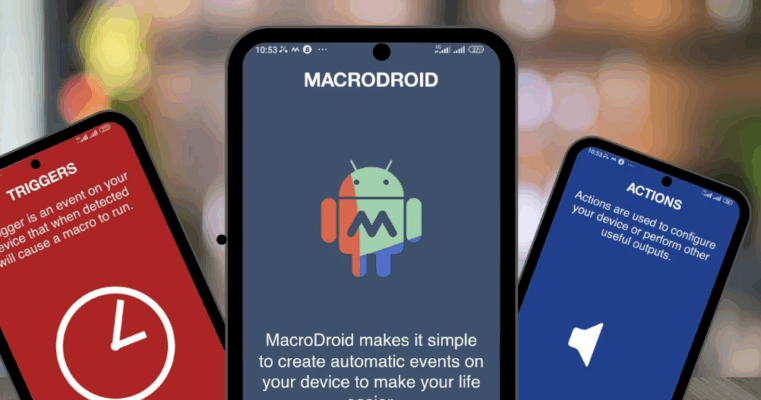
Unlike complex automation platforms that require scripting knowledge, MacroDroid 5.55.9 offers a simple, template-driven interface that makes creating macros fast and easy. Whether you want to silence your phone at night, auto-reply to messages, or control smart home devices, MacroDroid handles it all with minimal setup.
Why Use MacroDroid?
MacroDroid strikes the perfect balance between power and simplicity. It’s ideal for:
- Automating repetitive tasks
- Enhancing privacy and security
- Optimizing battery life
- Integrating with smart home systems (via IFTTT, HTTP requests, or Tasker)
And the best part? No root access is required for most features.
✅ Beginner-friendly
✅ Lightweight and reliable
✅ Supports 100+ triggers, actions, and constraints
Key Features of MacroDroid 5.55.9
1. User-Friendly Macro Creation
Creating a macro takes just three steps:
- Trigger – What starts the macro? (e.g., connecting to Wi-Fi, receiving an SMS)
- Action – What should happen? (e.g., turn on Bluetooth, send a reply)
- Constraint – When should it run? (e.g., only during work hours or when battery is above 30%)
Example:
Trigger: Connect to “Home” Wi-Fi
Action: Turn on smart lights (via HTTP request)
Constraint: Only between 6 PM and 10 PM
2. Wide Range of Triggers
Choose from over 80 trigger types, including:
- Time and date
- Battery level
- App launch/close
- Incoming SMS or call
- Device orientation
- Geofencing (enter/exit location)
- NFC tag scan
- Accessibility events
3. Powerful Actions
Automate nearly every aspect of your device:
- Toggle settings (Wi-Fi, Bluetooth, Do Not Disturb)
- Send SMS, emails, or notifications
- Run scripts (JavaScript, shell commands)
- Control media playback
- Launch apps or activities
- Integrate with IFTTT, HTTP/REST APIs, and Tasker
4. Template Library
New to automation? MacroDroid includes a built-in template library with ready-to-use macros like:
- Auto-silence phone at night
- Enable driving mode when car Bluetooth connects
- Backup photos to Google Drive
- Flash flashlight on low battery
Just tap and customize — no setup needed.
5. Web Interface & Remote Control (Pro Feature)
With MacroDroid Web, you can:
- Create and manage macros from your PC
- Trigger actions remotely via browser
- Sync macros across devices using cloud backup
6. Tasker Integration
Already use Tasker? MacroDroid can trigger Tasker tasks, allowing you to combine the simplicity of MacroDroid with Tasker’s deep customization.
Who Should Use MacroDroid 5.55.9?
✅ Beginners who want automation without complexity
✅ Busy professionals automating routines (meetings, focus mode)
✅ Smart home users linking Android to IoT devices
✅ Privacy-conscious users auto-enabling security settings
✅ Battery savers turning off radios when not needed
How to Install MacroDroid 5.55.9 APK
- Download the MacroDroid 5.55.9 APK from a trusted source.
- On your Android device, go to Settings > Security > Install Unknown Apps and allow your browser or file manager to install APKs.
- Open the downloaded file and tap Install.
- Launch MacroDroid and grant necessary permissions (e.g., Accessibility, Notification Access).
- Start building your first macro using the guided setup.
💡 Note: The Pro version (unlocked in modded APKs) includes:
- Unlimited macros
- Cloud sync and web interface
- No ads
- Priority support
However, the free version allows up to 5 macros — great for testing.
MacroDroid vs. Tasker: What’s the Difference?
MacroDroid is the perfect entry point for users who want powerful automation without the headache.
Final Thoughts
MacroDroid 5.55.9 APK is a must-have tool for anyone looking to get more out of their Android device. With its intuitive interface, rich feature set, and no-root flexibility, it empowers users to automate their digital lives — from simple toggles to complex smart home workflows.
Whether you’re silencing your phone automatically, creating location-based alerts, or integrating with web services, MacroDroid makes automation accessible, reliable, and fun.
🤖 Download MacroDroid 5.55.9 today and turn your Android into a smart, responsive assistant!
✔ Tested: This software was tested on Windows 10 & Windows 11 and works smoothly without issues.
Frequently Asked Questions
- Is this software free?
Yes, it can be downloaded and used for free. - Does it support Windows 11?
Yes, it works perfectly on Windows 10 and 11. - Is it safe to use?
Yes, the software was scanned and tested before publishing.
Last updated: January 2026