
Protecting your privacy on a Windows PC has never been more important. Every time you browse the web, use applications, or work on documents, your computer stores traces of your activity. While these digital footprints can help improve user experience, they also expose sensitive information to unauthorized access. Cyrobo Clean Space Pro 2025 v7.13 is designed to erase such traces securely, improve system performance, and keep your private data safe and buy.
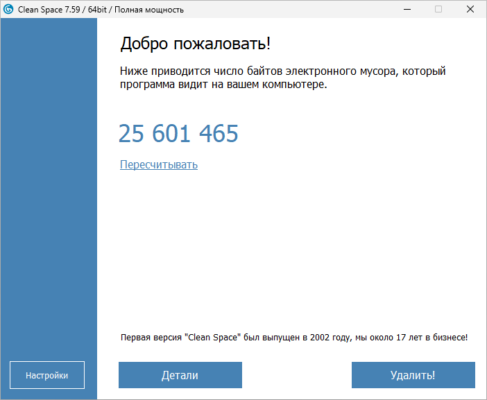
What is Cyrobo Clean Space Pro?
Cyrobo Clean Space Pro is a professional-grade privacy and system optimization tool for Windows. It focuses on permanently removing unnecessary files and traces of computer activity that could otherwise compromise your privacy. Unlike standard cleaners, Clean Space Pro uses advanced algorithms to ensure that deleted files cannot be recovered.
The result is a faster, cleaner, and more secure Windows experience.
Key Features of Cyrobo Clean Space Pro 2025 v7.13
1. Secure Privacy Protection
Erases browsing history, cookies, cache, and temporary files.
Removes traces from hundreds of applications, including popular browsers and productivity tools.
2. Advanced Deletion Algorithms
Ensures deleted files are unrecoverable.
Uses military-grade data wiping methods for maximum security.
3. System Optimization
Cleans junk files to free up disk space.
Improves system speed and reduces lag.
4. Customizable Cleaning
Allows users to choose which areas of the system to clean.
Supports scheduled cleaning tasks for automation.
5. User-Friendly Interface
Simple design suitable for both beginners and professionals.
Quick setup and easy navigation.
What’s New in Version 7.13 (2025 Edition)?
Improved cleaning algorithms for modern browsers.
Expanded support for new Windows 11 features.
Faster scan and deletion performance.
Enhanced stability with fewer false positives.
Benefits of Using Clean Space Pro
For Everyday Users
Keeps your browsing and online activity private.
Frees up valuable disk space.
For Professionals
Protects sensitive work documents from recovery.
Ensures compliance with data privacy standards.
For Power Users
Provides deep cleaning with customizable options.
Automates privacy protection with scheduled tasks.
How to Use Cyrobo Clean Space Pro 2025
Step 1: Install the Software
Download and install Clean Space Pro 2025 v7.13 from the official Cyrobo website.
Step 2: Run a System Scan
Launch the program and perform a full scan to identify junk files and privacy risks.
Step 3: Customize Cleaning Options
Choose whether to clean browser history, cache, application traces, or system junk.
Step 4: Securely Delete Data
Use advanced wiping methods to ensure permanent data removal.
Step 5: Schedule Automatic Cleaning
Set up regular cleaning sessions to keep your system consistently optimized.
Why Choose Clean Space Pro Over Other Tools?
While there are many system cleaners available, Cyrobo Clean Space Pro 2025 v7.13 stands out because it:
Focuses on privacy-first cleaning instead of just freeing space.
Uses secure deletion algorithms to prevent recovery.
Provides flexibility with customizable and automated cleaning tasks.
Maintains regular updates for compatibility with the latest Windows and apps.
Conclusion
In today’s digital age, protecting privacy is as important as maintaining system performance. Cyrobo Clean Space Pro 2025 v7.13 offers both by permanently erasing digital traces, optimizing disk space, and safeguarding sensitive data.
Whether you’re an everyday Windows user, a professional handling confidential files, or simply someone who values digital security, Clean Space Pro 2025 is an essential tool to keep your computer fast, clean, and private.
✔ Tested: This software was tested on Windows 10 & Windows 11 and works smoothly without issues.
Frequently Asked Questions
- Is this software free?
Yes, it can be downloaded and used for free. - Does it support Windows 11?
Yes, it works perfectly on Windows 10 and 11. - Is it safe to use?
Yes, the software was scanned and tested before publishing.
Last updated: January 2026