
In an era dominated by heavy integrated development environments (IDEs), EditPlus 6.0.765 stands out as a refreshingly lightweight, fast, and efficient text and code editor tailored for web developers, programmers, and system administrators. Developed by ES-Computing, this Windows-based editor combines simplicity with powerful features—making it a favorite among coders who value speed, minimal resource usage, and clean functionality and buy.
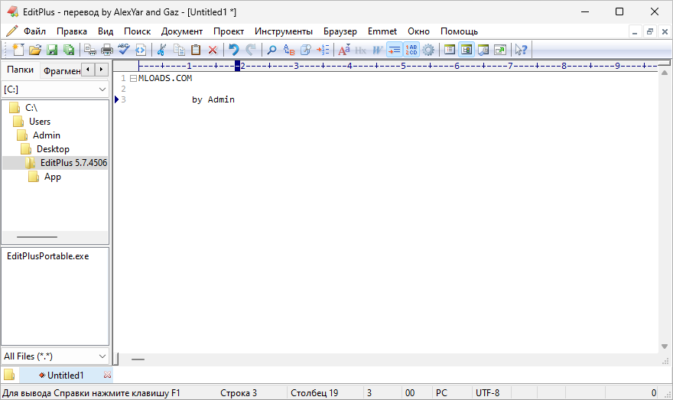
Why Choose EditPlus 6.0.765?
Speed and Minimal System Footprint
Unlike bloated IDEs that consume gigabytes of RAM, EditPlus 6.0.765 runs smoothly even on older machines. With a compact installer (under 3 MB) and near-instant startup time, it’s ideal for quick edits, scripting, or working on legacy systems where performance matters more than flashy interfaces.
Advanced Syntax Highlighting
EditPlus supports syntax highlighting for over 20 programming and markup languages, including HTML, CSS, JavaScript, PHP, Python, Java, C++, SQL, and XML. Users can also create or import custom syntax files, ensuring compatibility with niche or emerging languages. Highlighting is not just visual—it enhances readability and reduces coding errors.
Built-in FTP/SFTP Browser
One of EditPlus’s most praised features is its integrated FTP and SFTP client. Developers can browse, edit, and save files directly on remote servers without switching to a separate FTP application. Changes are uploaded automatically upon saving, streamlining web development workflows significantly.
Powerful Search, Replace, and Regex Support
EditPlus 6.0.765 includes a robust Find & Replace tool with full support for regular expressions, multi-file search, and case-sensitive or whole-word matching. This makes it invaluable for refactoring code, batch-editing configuration files, or cleaning up large datasets.
Developer-Friendly Features
HTML Toolbar and Preview
For web designers, EditPlus offers a handy HTML toolbar with one-click insertion of common tags (like <img>, <a>, <div>). You can also preview HTML files directly in your default browser with a single keyboard shortcut—no need to manually open the file.
Code Folding and Line Numbering
Navigate large files effortlessly with code folding (collapsible sections) and persistent line numbering. These features help maintain focus and improve debugging efficiency, especially in long scripts or configuration files.
Customizable Interface and Shortcuts
Users can personalize the editor’s appearance—fonts, colors, themes—and assign keyboard shortcuts to frequently used commands. Macros and clip libraries further automate repetitive tasks, boosting productivity without scripting complexity.
Ideal Use Cases for EditPlus 6.0.765
- Quick script editing for system admins (batch files, PowerShell, shell scripts)
- Front-end web development (HTML/CSS/JS tweaks)
- Editing configuration files (JSON, XML, .ini, .env)
- Lightweight PHP or Python coding without full IDE overhead
- Legacy development environments where modern tools aren’t supported
Is EditPlus Still Relevant in 2024?
Absolutely. While tools like VS Code dominate the market, many professionals still rely on EditPlus for its simplicity, speed, and zero learning curve. It doesn’t auto-update, bombard you with notifications, or require extensions for basic functionality—just pure, focused editing.
Moreover, EditPlus 6.0.765 is available as a fully functional trial, with a one-time purchase license (no subscription), making it a cost-effective long-term solution.
Final Thoughts
EditPlus 6.0.765 may not have AI pair-programming or real-time collaboration, but it excels at what it was designed for: fast, reliable, no-nonsense code and text editing. For developers who prioritize efficiency over bells and whistles, EditPlus remains a timeless tool in a cluttered software landscape.
Whether you’re maintaining a legacy website, writing a quick script, or editing server configs, EditPlus 6.0.765 delivers professional results with minimal fuss.
✔ Tested: This software was tested on Windows 10 & Windows 11 and works smoothly without issues.
Frequently Asked Questions
- Is this software free?
Yes, it can be downloaded and used for free. - Does it support Windows 11?
Yes, it works perfectly on Windows 10 and 11. - Is it safe to use?
Yes, the software was scanned and tested before publishing.
Last updated: January 2026