Master PDF Editor 5.9.90 is a professional and easy-to-use application designed for working with PDF documents. Whether you need to view, edit, annotate, or digitally sign PDFs, this lightweight tool offers all the essential features in one place. It’s a great alternative to more expensive software like Adobe Acrobat, without sacrificing functionality or performance and buy.
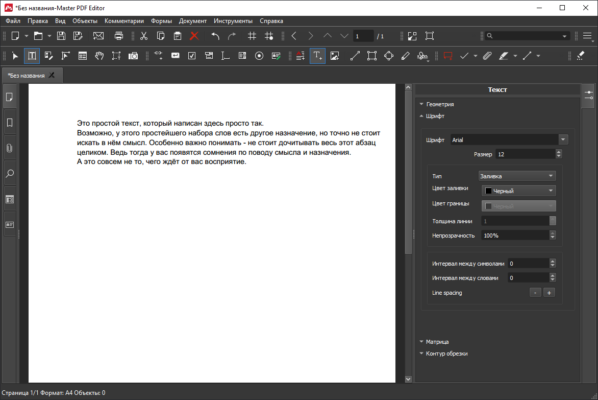
Compatible with Windows, Linux, and macOS, Master PDF Editor offers users a flexible solution for managing PDF files, with full support for Unicode and right-to-left languages including Arabic and Hebrew.
Key Features of Master PDF Editor 5.9.90
✅ Full PDF Editing Capabilities
Edit text and images within your PDF documents effortlessly. You can change fonts, adjust layouts, add or remove text blocks, and embed images. The intuitive interface makes it easy even for beginners.
🔐 Digital Signatures and Security
You can add digital signatures to your documents, ensuring their authenticity. The software also supports password protection and 256-bit encryption, giving you full control over who can access and edit your files.
📄 Merge and Split PDFs
Combine multiple PDF documents into one file or split a large PDF into several smaller files. This is perfect for organizing contracts, reports, or study materials.
🖊️ Annotation Tools
Use annotation tools to add comments, sticky notes, highlights, and shapes. This feature is especially useful for collaboration or for reviewing academic or business documents.
🧾 PDF Form Creation
Create and fill out interactive PDF forms. Add form elements such as buttons, text fields, checkboxes, and dropdown lists. The software also supports JavaScript for advanced form functionality.
🔄 Convert and Print
Convert PDF documents to image formats such as PNG, JPG, BMP, or TIFF. You can also print your documents directly from the application with full control over page layout and quality settings.
Why Choose Master PDF Editor?
Unlike bloated software that demands high system resources, Master PDF Editor is lightweight and fast. It doesn’t slow down your system, making it perfect for both older computers and high-end machines.
Additionally, the one-time license purchase (for the Pro version) makes it cost-effective compared to subscription-based services like Adobe Acrobat DC.
What’s New in Version 5.9.90?
Improved stability and performance
Enhanced support for digital signatures
Better rendering of complex PDF elements
Bug fixes and minor UI improvements
This version ensures a smoother user experience and improved compatibility with newer operating systems.
System Requirements
OS: Windows 7, 8, 10, 11 (32-bit & 64-bit)
CPU: 1 GHz processor or higher
RAM: 512 MB minimum (1 GB recommended)
Disk Space: 100 MB of free space
Final Verdict
Master PDF Editor 5.9.90 is a reliable and feature-rich PDF editor that meets the needs of both casual users and professionals. Whether you’re editing academic papers, signing contracts, or managing business documents, this tool has everything you need.
If you’re looking for a powerful PDF editor without the expensive subscription fees, Master PDF Editor is definitely worth trying.
Download Now
Click the link below to download Master PDF Editor 5.9.90 full version and start managing your PDF files like a pro.
✔ Tested: This software was tested on Windows 10 & Windows 11 and works smoothly without issues.
Frequently Asked Questions
- Is this software free?
Yes, it can be downloaded and used for free. - Does it support Windows 11?
Yes, it works perfectly on Windows 10 and 11. - Is it safe to use?
Yes, the software was scanned and tested before publishing.
Last updated: January 2026