📚 Adobe FrameMaker 2022 v17.0.2.431: The Powerhouse for Technical Authors
For decades, Adobe FrameMaker has been the gold standard for creating complex, structured technical documentation—from aircraft manuals and software guides to regulatory compliance documents and API references.
Version 17.0.2.431 (2022) refines this legacy with improved stability, better DITA support, and seamless integration with modern publishing workflows—making it indispensable for technical writers, engineers, and content strategists in aerospace, IT, healthcare, and manufacturing.
🌟 What’s New in FrameMaker 2022 v17.0.2.431?
This maintenance update focuses on performance, compatibility, and reliability:
- 🐞 Critical bug fixes for DITA map rendering and PDF export
- 🚀 Faster loading of large books and structured documents
- 🌐 Enhanced HTML5 and Responsive HTML5 output with cleaner CSS
- 🔒 Improved security for PDF and EPUB publishing
- 💻 Better compatibility with Windows 11 and macOS Monterey
💡 While not a major feature release, v17.0.2.431 is the most stable build of the 2022 series—ideal for enterprise environments.
✨ Key Features That Define FrameMaker
📖 Structured & Unstructured Authoring
- Work in free-form mode for quick docs
- Or use XML/DITA for modular, reusable content (perfect for single-sourcing)
🧩 Book & Chapter Management
Manage multi-file projects (e.g., 500-page manuals) with automatic numbering, TOC, and indexing.
🌍 Multi-Channel Publishing
Publish once to:
- PDF (print-ready, tagged for accessibility)
- Responsive HTML5 (mobile-friendly web help)
- EPUB (for e-readers)
- Microsoft Word (for review)
🔗 DITA 1.3 Full Support
Create, edit, and validate DITA maps, topics, and keys—ideal for component content management (CCMS) workflows.
🎨 Advanced Styling & Automation
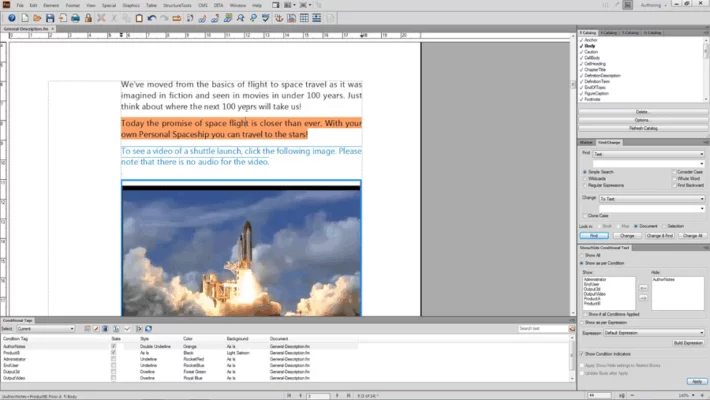
- Apply conditional text (e.g., “For Windows” vs. “For Mac”)
- Use variables for dynamic content (version numbers, dates)
- Automate formatting with FrameScript or ExtendScript
🤝 Integration with Adobe Ecosystem
- Embed Photoshop or Illustrator files with live links
- Reuse content from Adobe RoboHelp or Technical Communication Suite
💼 Who Uses FrameMaker?
- Technical Writers: Create user manuals, SDK docs, and knowledge bases
- Engineers: Document hardware specs, safety procedures, and maintenance guides
- Regulatory Teams: Produce FDA, ISO, or FAA-compliant documentation
- Content Architects: Build DITA-based single-source publishing systems
💡 FrameMaker shines where accuracy, consistency, and scale matter more than flashy design.
📥 How to Get Adobe FrameMaker 2022 Legally
FrameMaker is available through Adobe’s subscription model:
- Visit the official Adobe site
- Choose FrameMaker standalone or Technical Communication Suite (includes RoboHelp)
- Download and install v17.0.2.431 (auto-updates enabled)
🔗 Official Page: https://www.adobe.com/products/framemaker.html
💰 Pricing: Starts at $29.99/month (annual plan)
✅ 7-day free trial available
⚖️ FrameMaker vs. Alternatives
💬 Final Thoughts
Adobe FrameMaker 2022 v17.0.2.431 remains the most robust solution for mission-critical technical documentation. While newer tools focus on web-first content, FrameMaker excels where precision, structure, and multi-format publishing are non-negotiable.
📚 When your documentation can’t afford errors—trust FrameMaker.
✔ Tested: This software was tested on Windows 10 & Windows 11 and works smoothly without issues.
Frequently Asked Questions
- Is this software free?
Yes, it can be downloaded and used for free. - Does it support Windows 11?
Yes, it works perfectly on Windows 10 and 11. - Is it safe to use?
Yes, the software was scanned and tested before publishing.
Last updated: January 2026