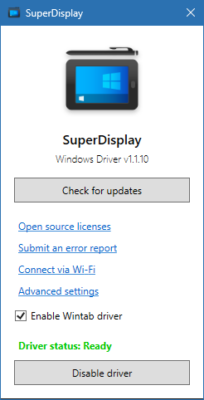
SuperDisplay 1.1.10 is a powerful application designed to turn your Android phone or tablet into a second monitor for your PC. Whether you are working on multitasking, creative design, or productivity tasks, SuperDisplay provides a smooth and responsive experience. With low-latency performance, pen pressure support, and wired or wireless connection options, it is the perfect tool for professionals and casual users alike and buy.
📱 What is SuperDisplay?
SuperDisplay is an innovative app that allows users to extend or mirror their PC screen onto an Android device. Unlike basic screen-sharing apps, SuperDisplay focuses on delivering ultra-low latency performance, making it ideal for drawing, designing, and real-time interaction.
It’s widely used by:
Artists and designers who need pen pressure sensitivity for drawing.
Students for note-taking and studying.
Remote workers who need extra screen space for multitasking.
Gamers and streamers for monitoring additional windows.
✨ Key Features of SuperDisplay 1.1.10
1. Second Monitor Functionality
Turn your Android device into a secondary display to boost productivity.
2. Low Latency Performance
Enjoy smooth real-time interaction with minimal delay, perfect for both work and play.
3. Pen Pressure Support
Compatible with stylus input, making it ideal for digital artists using apps like Photoshop or Krita.
4. Flexible Connections
Supports both USB wired connections for maximum speed and Wi-Fi wireless connections for flexibility.
5. High-Quality Rendering
Provides crisp and high-resolution display output, suitable for professional tasks.
6. Easy Setup
User-friendly interface with quick installation on both PC and Android.
🚀 What’s New in Version 1.1.10?
Improved latency reduction for wireless connections.
Better compatibility with Windows 11 and recent Android versions.
Enhanced pen pressure accuracy for digital drawing apps.
Minor bug fixes and performance optimizations.
💻 System Requirements
PC: Windows 10/11 (64-bit recommended)
Android Device: Android 6.0 or later
Connection: USB cable or stable Wi-Fi network
RAM: At least 4 GB for smooth performance
🎯 Why Choose SuperDisplay 1.1.10?
Artists 🎨 – Perfect for digital illustration and design with stylus support.
Professionals 👨💻 – Boost productivity by adding an extra screen for multitasking.
Students 📚 – Take notes and view references simultaneously.
Remote Workers 🌍 – Easily manage multiple applications across screens.
✅ Conclusion
SuperDisplay 1.1.10 is more than just a screen mirroring tool—it’s a high-performance second monitor app that enhances productivity, creativity, and workflow efficiency. Whether you’re an artist, student, or professional, this app provides the flexibility to extend your desktop experience onto your Android device with outstanding responsiveness.
If you’re looking for a reliable and smooth second screen solution, SuperDisplay 1.1.10 is one of the best apps available today.
✔ Tested: This software was tested on Windows 10 & Windows 11 and works smoothly without issues.
Frequently Asked Questions
- Is this software free?
Yes, it can be downloaded and used for free. - Does it support Windows 11?
Yes, it works perfectly on Windows 10 and 11. - Is it safe to use?
Yes, the software was scanned and tested before publishing.
Last updated: January 2026