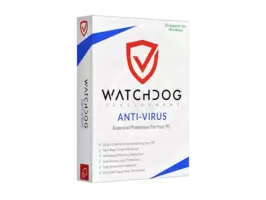
Watchdog Anti-Virus 1.8.621 is not a legitimate antivirus program developed by a known cybersecurity vendor like Kaspersky, Bitdefender, Norton, or Microsoft. Instead, it is widely reported to be a fake or rogue antivirus application that displays false virus alerts, pressures users to purchase fake cleanup tools, and may even install malware on your device and buy.
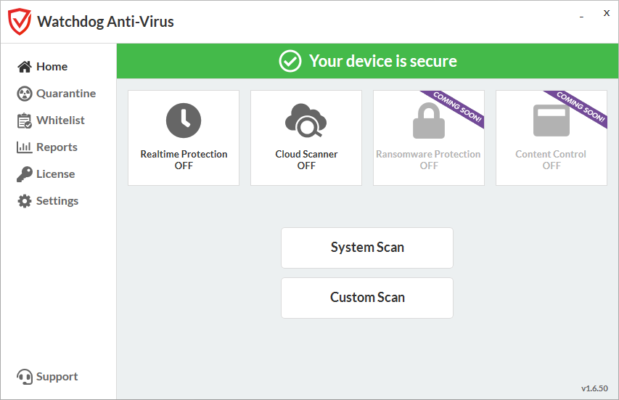
These types of apps fall under the category of scareware — malicious software designed to frighten users into taking harmful actions.
❌ Do NOT download or install Watchdog Anti-Virus 1.8.621 — it could put your personal data, passwords, and system at risk.
What Is Scareware?
Scareware is a type of social engineering attack that:
- Pretends to scan your device
- Shows fake infections (e.g., “15 Viruses Detected!”)
- Demands payment to “clean” non-existent threats
- Installs spyware, adware, or ransomware
It often spreads through:
- Malicious websites
- Fake software updates
- Pirated software
- Third-party download sites
Once installed, it can be difficult to remove and may disable real security tools.
Red Flags of Watchdog Anti-Virus 1.8.621
These are classic signs of malicious software.
Risks of Installing Fake Antivirus Apps
1. Malware Infection
The app itself may be a trojan that:
- Steals passwords and banking info
- Logs keystrokes
- Installs ransomware
2. Financial Scams
You may be charged for a fake license or subscription with no real service.
3. System Damage
Some fake AVs:
- Fill your hard drive with junk files
- Slow down your PC
- Disable Windows Update or Defender
4. Privacy Violations
It may:
- Collect browsing history
- Access personal files
- Upload data to remote servers
How to Remove Watchdog Anti-Virus (If Already Installed)
If you’ve installed this app, follow these steps:
Step 1: Boot into Safe Mode
- Restart your PC
- Press F8 or Shift + Restart to enter Safe Mode
Step 2: Use Task Manager to End Processes
- Press
Ctrl + Shift + Esc - Look for suspicious processes (e.g.,
watchdog.exe,antivirus365.exe) - End Task
Step 3: Uninstall via Control Panel
- Go to Control Panel > Programs > Uninstall a Program
- Find “Watchdog Anti-Virus” or similar
- Uninstall it
Step 4: Run a Real Antivirus Scan
Use one of these trusted tools:
- Malwarebytes (free) – Excellent at removing PUPs
- HitmanPro – Second-opinion scanner
- ESET Online Scanner – Deep system check
Step 5: Reset Browser Settings
Fake AVs often hijack browsers:
- Reset Chrome, Firefox, or Edge to default
- Remove unknown extensions
Safe & Trusted Antivirus Alternatives
✅ For Windows (Free & Paid):
✅ For Android:
- Bitdefender Mobile Security
- Kaspersky Mobile Antivirus
- Norton Mobile Security
Always download from official websites or app stores.
How to Stay Safe Online
- ✅ Use Windows Defender – it’s free and powerful
- ✅ Keep Windows and software updated
- ✅ Avoid “free” antivirus from unknown sites
- ✅ Never click on pop-up virus warnings in your browser
- ✅ Only download software from official sources
Final Verdict: Avoid Watchdog Anti-Virus 1.8.621
Watchdog Anti-Virus 1.8.621 is not a real antivirus — it’s a dangerous imitation designed to scare and exploit users. Real antivirus software does not use aggressive pop-ups or fake infection reports.
🔐 Stick to trusted names in cybersecurity and avoid anything that sounds too urgent or too good to be true.
Frequently Asked Questions (FAQ)
Q: Is Watchdog Anti-Virus a virus?
A: It may not be a virus itself, but it’s potentially malicious software that can lead to infections.
Q: Can I trust free antivirus apps?
A: Yes — if they’re from reputable companies like Microsoft, Bitdefender, or Kaspersky.
Q: How do I know if my PC is infected?
A: Signs include slow performance, pop-ups, disabled Task Manager, or unexpected browser redirects.
Q: Does Windows need another antivirus?
A: For most users, Windows Defender is enough. You can add a second-opinion scanner like Malwarebytes for extra safety.
Conclusion
Watchdog Anti-Virus 1.8.621 is a scam — not a solution. Real security comes from trusted, transparent, and regularly updated software, not fear-based tactics.
🛡️ Protect your PC with legitimate tools like Microsoft Defender, Bitdefender, or Kaspersky — and never install antivirus software from unverified sources.
🔐 Your safety starts with awareness — not panic.
✔ Tested: This software was tested on Windows 10 & Windows 11 and works smoothly without issues.
Frequently Asked Questions
- Is this software free?
Yes, it can be downloaded and used for free. - Does it support Windows 11?
Yes, it works perfectly on Windows 10 and 11. - Is it safe to use?
Yes, the software was scanned and tested before publishing.
Last updated: January 2026