
Mobile app development continues to evolve rapidly, with millions of apps being built and updated every year. To meet this demand, developers need a robust, reliable, and feature-rich environment for building, testing, and deploying applications. Android Studio 2025.1.3.7 is the latest version of Google’s official Integrated Development Environment (IDE) for Android development, offering all the tools required to create modern and high-performing Android apps.
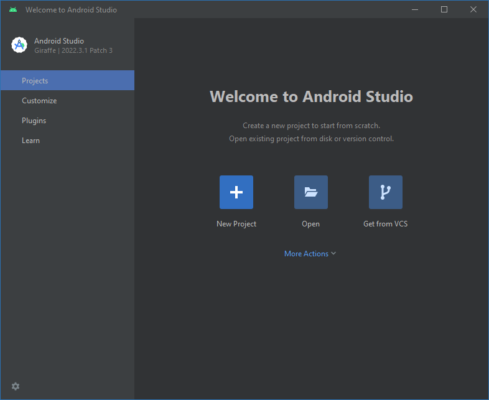
What is Android Studio 2025.1.3.7?
Android Studio is the official development environment provided by Google for creating Android applications. Built on IntelliJ IDEA, it combines intelligent code editing, advanced debugging, and powerful performance analysis in one package. The 2025.1.3.7 release introduces updated APIs, improved emulator performance, and enhanced support for modern Android devices and form factors, including foldables and wearables.
Key Features of Android Studio 2025.1.3.7
Intelligent Code Editor: Smart autocompletion and syntax highlighting for Java, Kotlin, and C++.
Android Emulator: Faster performance with advanced device simulation.
Layout Editor: Drag-and-drop UI builder with real-time previews.
Build System: Gradle integration for flexible and scalable builds.
Debugging Tools: Powerful profiling and debugging capabilities.
Performance Profiler: Monitor CPU, GPU, and memory usage in real time.
Instant Run / Apply Changes: Quickly test modifications without rebuilding the entire app.
Version Control: GitHub and Git integration for team collaboration.
Cross-Device Testing: Simulate different screen sizes, resolutions, and device types.
System Requirements
To run Android Studio 2025.1.3.7 smoothly, your system should meet the following:
OS: Windows 10/11 (64-bit), macOS 12+, or Linux (64-bit)
Processor: Intel i5/AMD Ryzen 5 or better (quad-core)
RAM: 8 GB minimum (16 GB recommended)
Storage: 10 GB free space (SSD recommended)
Graphics: GPU with OpenGL 3.3 or higher support
JDK: Bundled with latest Android SDK tools
How to Download and Install Android Studio 2025.1.3.7
Visit the official Android Studio website from Google.
Select the installer for your platform (Windows, macOS, or Linux).
Download and run the setup file.
Follow the installation wizard to configure the Android SDK and emulator.
Open a new project and choose your preferred programming language (Java or Kotlin).
Start coding, designing, and testing your Android applications.
Why Use Android Studio 2025.1.3.7?
As the official IDE, Android Studio ensures developers always have access to the latest Android APIs and development tools. It simplifies the process of designing user interfaces, writing efficient code, and testing apps across multiple devices. Whether you are an indie developer or part of a large team, Android Studio offers scalability, reliability, and flexibility.
Compared to third-party IDEs, Android Studio provides deeper integration with Google services such as Firebase, Play Store publishing, and cloud-based testing. This makes it the most reliable choice for serious Android developers.
Conclusion
Android Studio 2025.1.3.7 is the go-to development platform for building modern Android applications. With its intelligent editor, advanced debugging, and robust emulator, it offers everything developers need to create apps efficiently. The latest version ensures compatibility with the newest Android devices, making it essential for anyone involved in mobile app development.
✔ Tested: This software was tested on Windows 10 & Windows 11 and works smoothly without issues.
Frequently Asked Questions
- Is this software free?
Yes, it can be downloaded and used for free. - Does it support Windows 11?
Yes, it works perfectly on Windows 10 and 11. - Is it safe to use?
Yes, the software was scanned and tested before publishing.
Last updated: January 2026