
Building a professional-looking website no longer requires deep coding knowledge. Thanks to modern design tools, anyone can create responsive and attractive websites quickly. Nicepage 7.7.3 is one such solution, offering a powerful drag-and-drop builder that supports both standalone HTML websites and integration with popular CMS platforms like WordPress and Joomla. With its modern templates, responsive design features, and user-friendly interface, Nicepage 7.7.3 is a great choice for designers, developers, and business owners.
What is Nicepage 7.7.3?
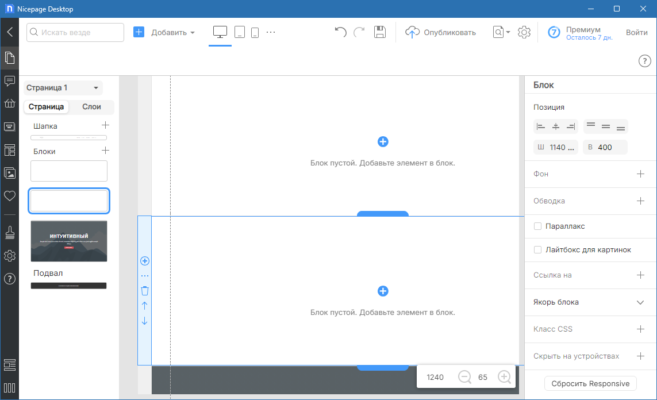
Nicepage is a versatile website builder that provides freedom and flexibility in web design. Unlike traditional editors that restrict layouts, Nicepage allows you to design websites as if you were working in a graphics editor. Version 7.7.3 brings improvements in speed, template options, and integration with CMS platforms. It is designed to help beginners and professionals alike build websites that look modern and function smoothly across devices.
Key Features of Nicepage 7.7.3
Drag-and-Drop Editor: Build pages visually without coding.
Responsive Design: Automatically adjusts layouts for desktops, tablets, and mobile devices.
Modern Templates: Access thousands of ready-made website designs.
WordPress and Joomla Integration: Export themes directly for use in CMS platforms.
HTML Export: Create standalone HTML sites for hosting anywhere.
Design Freedom: Place elements anywhere on the page, unlike rigid grid systems.
SEO Tools: Built-in optimization features for better search engine rankings.
Cross-Browser Compatibility: Ensures websites look good on all major browsers.
System Requirements
Before installing Nicepage 7.7.3, ensure your system meets the basic requirements:
Operating System: Windows 7, 8, 10, 11 (64-bit) or macOS 10.13+
Processor: Dual-core Intel/AMD CPU, 2 GHz or faster
RAM: 4 GB minimum, 8 GB recommended
Storage: At least 500 MB free disk space
Internet Connection: Required for downloading templates and updates
How to Download and Install Nicepage 7.7.3
Visit the official Nicepage website.
Choose the correct version for Windows or macOS.
Download the installer and run the setup file.
Follow the on-screen instructions to complete installation.
Launch the program and start designing with templates or from scratch.
Why Use Nicepage 7.7.3?
Nicepage stands out because it combines simplicity with design flexibility. Beginners can rely on templates and drag-and-drop tools, while advanced users can fine-tune every aspect of their website. It also supports exporting projects to WordPress and Joomla, making it a bridge between desktop design and CMS platforms. For businesses, freelancers, and agencies, Nicepage reduces the time and cost of building websites without sacrificing quality.
Conclusion
Nicepage 7.7.3 is a powerful website builder that empowers users to create professional, responsive websites without coding knowledge. Its flexibility, modern templates, and integration with popular platforms make it suitable for both beginners and experienced designers. Whether you need a personal blog, a corporate website, or an online portfolio, Nicepage delivers the tools you need to succeed. Download Nicepage 7.7.3 today and start building modern websites with ease.
✔ Tested: This software was tested on Windows 10 & Windows 11 and works smoothly without issues.
Frequently Asked Questions
- Is this software free?
Yes, it can be downloaded and used for free. - Does it support Windows 11?
Yes, it works perfectly on Windows 10 and 11. - Is it safe to use?
Yes, the software was scanned and tested before publishing.
Last updated: January 2026