Managing remote connections is a daily task for system administrators, network engineers, and IT professionals. Instead of juggling multiple tools for RDP, SSH, VNC, and other protocols, mRemoteNG 1.76.20 offers a unified solution. This free and open-source software simplifies the process by centralizing all your remote sessions into a single, tabbed interface.
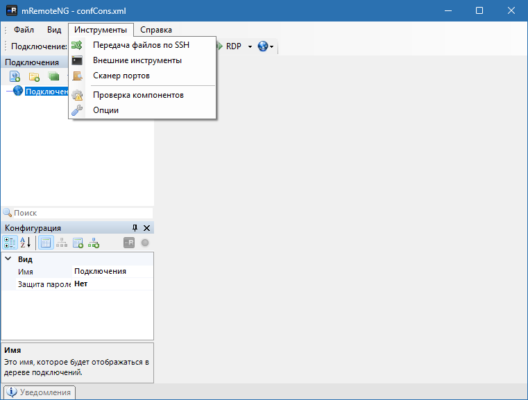
With its flexibility, lightweight performance, and security-focused design, mRemoteNG has become a trusted choice for IT professionals worldwide.
Why Choose mRemoteNG?
All-in-One Remote Connection Tool
Unlike single-protocol applications, mRemoteNG supports multiple connection types, including RDP, VNC, SSH, Telnet, ICA, and HTTP/S. This makes it an ideal replacement for managing several tools at once.
Open Source and Free
As an open-source project, mRemoteNG is completely free to use. IT teams can customize the tool, contribute to development, and rely on a transparent codebase for security.
Key Features of mRemoteNG 1.76.20
Multi-Protocol Support
Remote Desktop Protocol (RDP)
Virtual Network Computing (VNC)
Secure Shell (SSH)
Telnet
ICA, Rlogin, and raw socket connections
Tabbed Interface
Organize multiple sessions in tabs for quick switching.
Group connections for easier access to servers and devices.
Credential Management
Save and encrypt login credentials securely.
Integrates with external password managers for extra protection.
Session Management
Clone, reconnect, and manage multiple sessions simultaneously.
Customizable layouts to suit your workflow.
Portable and Lightweight
Minimal resource usage.
Can be used as a portable application without installation.
Benefits of Using mRemoteNG
For IT Administrators 🖥️
Manage servers, routers, and devices without switching between different tools.
For Developers 💻
Test applications on multiple environments easily using one interface.
For Enterprises 🌐
Reduce software clutter and standardize remote management tools across teams.
How to Use mRemoteNG 1.76.20
Download and install mRemoteNG from the official website.
Launch the program and create a new connection profile.
Choose the protocol (RDP, SSH, VNC, etc.) and enter the server details.
Save credentials securely or integrate with your password manager.
Open multiple sessions in tabs and manage them effortlessly.
In just a few steps, you’ll be able to centralize all your remote access needs.
Final Thoughts
mRemoteNG 1.76.20 is a reliable, efficient, and secure multi-protocol connection manager. By combining powerful features, a tabbed interface, and support for numerous connection types, it eliminates the need for multiple remote access tools.
Whether you are a system administrator, a developer, or part of an enterprise IT team, mRemoteNG provides the perfect balance of functionality and simplicity. Best of all, it’s free and open-source, making it an essential tool for anyone managing remote systems.
✔ Tested: This software was tested on Windows 10 & Windows 11 and works smoothly without issues.
Frequently Asked Questions
- Is this software free?
Yes, it can be downloaded and used for free. - Does it support Windows 11?
Yes, it works perfectly on Windows 10 and 11. - Is it safe to use?
Yes, the software was scanned and tested before publishing.
Last updated: January 2026