Disk Usage Analyzer 2.2.1 is a lightweight yet powerful utility that allows users to scan, analyze, and manage storage usage on their computers. Whether you are dealing with limited disk space or simply want to keep your system organized, this tool provides a clear breakdown of file and folder sizes, helping you identify unnecessary or oversized files.
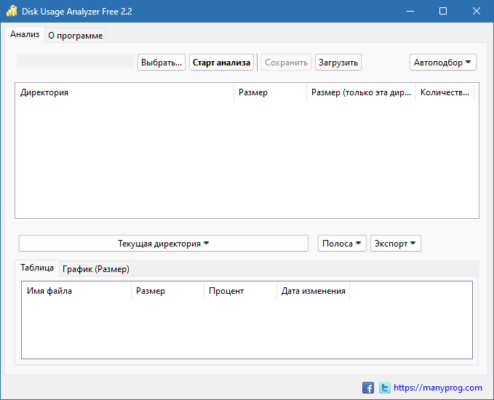
Key Features of Disk Usage Analyzer 2.2.1
1. Fast Disk Scanning
The software quickly scans internal and external drives, delivering detailed insights into disk usage.
2. Intuitive Visualization
It presents storage data in easy-to-understand charts and reports, making it simple to identify space hogs.
3. Folder and File Analysis
Users can drill down into folders and view which files are consuming the most space, enabling smarter cleanup decisions.
4. Multi-Drive Support
Disk Usage Analyzer supports HDDs, SSDs, USB drives, and network locations, ensuring complete coverage for storage management.
5. User-Friendly Interface
With a clean interface and simple navigation, both beginners and advanced users can manage storage effectively.
What’s New in Version 2.2.1?
Enhanced scanning performance for faster results.
Improved compatibility with the latest Windows updates.
Bug fixes and stability improvements.
More accurate size reporting for large files.
Why Choose Disk Usage Analyzer 2.2.1?
Managing disk space manually can be time-consuming. Disk Usage Analyzer 2.2.1 automates this process, helping you identify large, duplicate, or unused files in just a few clicks. By keeping your system free from clutter, you ensure better performance and more available space.
Conclusion
Disk Usage Analyzer 2.2.1 is an essential tool for anyone who wants to optimize storage, improve system efficiency, and maintain a clutter-free computer. With its simple yet effective features, this version makes disk management faster and easier than ever before.
✔ Tested: This software was tested on Windows 10 & Windows 11 and works smoothly without issues.
Frequently Asked Questions
- Is this software free?
Yes, it can be downloaded and used for free. - Does it support Windows 11?
Yes, it works perfectly on Windows 10 and 11. - Is it safe to use?
Yes, the software was scanned and tested before publishing.
Last updated: January 2026