
Managing files on iOS devices has always been a challenge for many users, especially when dealing with Apple’s strict limitations and reliance on iTunes. For those who want a simpler, faster, and more flexible solution, FonePaw iOS Transfer 7.0.0 is the perfect choice. This software allows users to transfer, back up, and manage files across iPhone, iPad, iPod, and Windows computers with ease and buy.
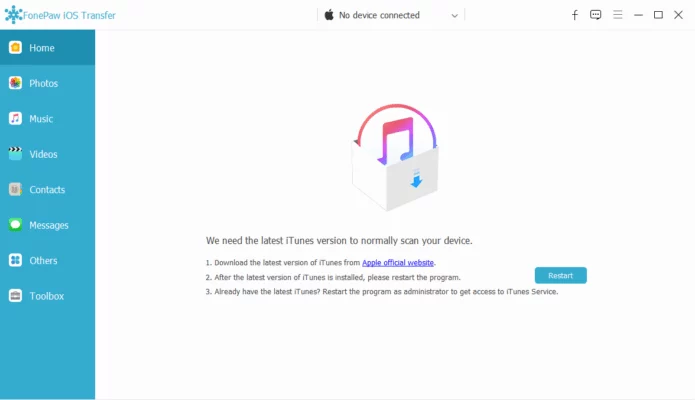
What is FonePaw iOS Transfer?
FonePaw iOS Transfer is an all-in-one iOS file management tool designed to replace iTunes with a more user-friendly and efficient experience. It provides full support for transferring media files, contacts, text messages, playlists, and more. Unlike iTunes, it doesn’t overwrite existing files and gives users complete control over what to move.
Key Features of FonePaw iOS Transfer 7.0.0
1. Transfer Files Without iTunes
One of the biggest advantages of this software is the ability to move files without using iTunes. Users can directly copy music, photos, videos, and other content between iOS devices and PC.
2. Manage Contacts and Messages
FonePaw iOS Transfer 7.0.0 makes it easy to back up and edit contacts, merge duplicates, and export them to different formats. It also supports transferring and saving SMS and iMessages for safekeeping.
3. Media Management
The software can create and manage playlists, transfer entire albums, and handle videos without losing quality. It’s particularly helpful for users who want to organize their music libraries or export photos in bulk.
4. Backup and Restore
With just one click, users can back up important data and restore it whenever needed. This ensures peace of mind in case of accidental deletions or device damage.
5. Support for Multiple iOS Devices
Whether you’re using the latest iPhone, an older iPad, or even an iPod Touch, FonePaw iOS Transfer 7.0.0 supports seamless transfers across all iOS models.
What’s New in Version 7.0.0?
The 7.0.0 release introduces improved compatibility with iOS 17, faster transfer speeds, and a more streamlined interface. It also enhances backup performance and fixes minor bugs to deliver a smoother user experience.
Benefits for Different Users
Everyday Users: Easily move photos, videos, and music between devices and PC without restrictions.
Business Professionals: Securely back up contacts, call logs, and documents to avoid data loss.
Content Creators: Export high-quality videos and photos quickly for editing or sharing.
IT Technicians: Use the tool for reliable data migration when setting up new iPhones or iPads.
Real-World Applications
Switching to a New iPhone: Transfer all your contacts, messages, and media files in minutes.
Photo Backup: Save entire photo libraries to your computer without iCloud limitations.
Music Management: Add or remove songs freely without syncing issues.
Data Safety: Create backups before upgrading or restoring iOS devices.
Conclusion
FonePaw iOS Transfer 7.0.0 is a must-have tool for anyone who wants full control over their iOS devices. It eliminates the complexity of iTunes while offering faster and more flexible file transfers. With support for multiple file types, one-click backups, and compatibility with the latest iOS versions, it ensures smooth data management for iPhone, iPad, and iPod users.
Whether you need to migrate data to a new device, organize your music library, or protect your contacts and messages, FonePaw iOS Transfer 7.0.0 provides a reliable and user-friendly solution.
✔ Tested: This software was tested on Windows 10 & Windows 11 and works smoothly without issues.
Frequently Asked Questions
- Is this software free?
Yes, it can be downloaded and used for free. - Does it support Windows 11?
Yes, it works perfectly on Windows 10 and 11. - Is it safe to use?
Yes, the software was scanned and tested before publishing.
Last updated: January 2026