
Keeping your computer secure from unauthorized access and online threats is more important than ever. While Windows comes with a built-in firewall, many users look for lightweight and more flexible solutions that provide better control.
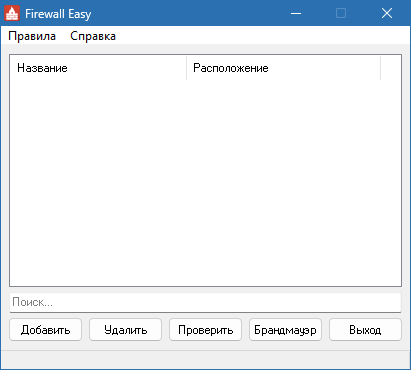
Firewall Easy 0.8.4 is a simple yet effective firewall management tool designed for Windows users. It allows you to control which applications can access the internet, monitor network activity, and strengthen system security without the complexity of enterprise-grade firewalls.
What is Firewall Easy?
Firewall Easy is a free, lightweight firewall utility that enhances the default Windows Firewall. Instead of overwhelming users with complicated options, it provides a clear and straightforward interface for:
Blocking or allowing specific applications.
Monitoring real-time network traffic.
Securing the system against potential online threats.
This tool is ideal for both casual users and advanced PC enthusiasts who want more control over their system’s network activity.
Key Features of Firewall Easy 0.8.4
1. Simple Application Control
Quickly block or allow apps from accessing the internet.
Prevent unwanted software from sending or receiving data.
2. Real-Time Network Monitoring
See which apps are using your network.
Detect suspicious activity instantly.
3. Lightweight and Fast
Runs in the background with minimal system resource usage.
Designed for efficiency without slowing down Windows.
4. Enhanced Security
Strengthens the default Windows Firewall with easier management.
Protects against spyware and malware communication.
5. User-Friendly Interface
Clean design suitable for beginners.
Advanced settings available for power users.
What’s New in Version 0.8.4?
Improved compatibility with the latest Windows updates.
Optimized performance for faster rule application.
Bug fixes for stability and reliability.
Updated interface for better usability.
Benefits of Using Firewall Easy
For Everyday Users
Prevent apps from secretly connecting to the internet.
Protect privacy by blocking background data collection.
For Gamers
Stop unnecessary programs from using bandwidth during gameplay.
Reduce lag by controlling background connections.
For Businesses and Professionals
Gain more visibility over application behavior.
Add an extra security layer against data leaks.
How to Use Firewall Easy 0.8.4
Step 1: Install the Program
Download and install Firewall Easy on your Windows system.
Step 2: Launch and Monitor
Open the interface to see which apps are currently connected.
Step 3: Create Rules
Block or allow apps with a single click for full control.
Step 4: Customize Settings
Fine-tune rules and preferences based on your needs.
Step 5: Stay Secure
Keep the app running in the background for continuous protection.
Why Choose Firewall Easy Over Built-in Options?
While the default Windows Firewall is powerful, it can be complicated for many users. Firewall Easy 0.8.4 makes firewall management much simpler by offering:
Quick rule creation without navigating complex menus.
Lightweight performance compared to enterprise firewalls.
Better visibility into real-time connections.
It strikes the right balance between simplicity and functionality, making it a great alternative for those who want control without complexity.
Conclusion
Firewall Easy 0.8.4 is an excellent lightweight firewall management tool that empowers users to control application access, secure their networks, and optimize system performance. Whether you are a casual user seeking privacy, a gamer wanting better bandwidth control, or a professional ensuring system security, Firewall Easy delivers a reliable solution.
With its ease of use, real-time monitoring, and efficient resource management, Firewall Easy 0.8.4 is a must-have tool for anyone looking to enhance their PC’s security without unnecessary complexity.
✔ Tested: This software was tested on Windows 10 & Windows 11 and works smoothly without issues.
Frequently Asked Questions
- Is this software free?
Yes, it can be downloaded and used for free. - Does it support Windows 11?
Yes, it works perfectly on Windows 10 and 11. - Is it safe to use?
Yes, the software was scanned and tested before publishing.
Last updated: January 2026