
HDCleaner 2.091 Overview
HDCleaner 2.091 is a comprehensive system optimization and cleaning tool designed to improve the performance and stability of Windows computers. It removes junk files, temporary data, invalid registry entries, and other unnecessary items that slow down your system over time.
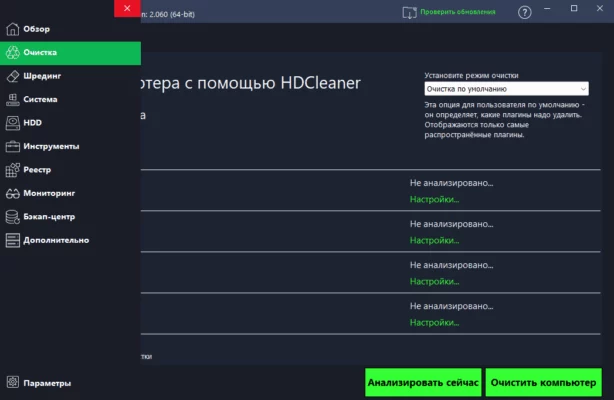
With its lightweight design and wide range of maintenance features, HDCleaner helps you keep your PC running like new — fast, stable, and error-free.
Key Features
1. Complete System Cleaning
HDCleaner scans your entire system to locate and remove redundant files, temporary folders, browser caches, and logs. This process frees up valuable disk space and helps Windows load faster.
2. Advanced Registry Cleaner
The software identifies broken or obsolete registry entries and safely removes them to improve system stability. It also provides backup options to restore previous registry states if needed.
3. Startup and Service Optimization
You can manage startup programs and background services directly from HDCleaner. Disabling unnecessary items reduces boot time and overall resource usage.
4. Privacy Protection
HDCleaner erases traces of online activity, including browser history, cookies, and recent file lists. This keeps your personal information secure and ensures a higher level of privacy.
5. Built-in Driver Cleaner
The Driver Cleaner feature in HDCleaner 2.091 allows users to safely remove old or unused driver files from the system. This helps prevent driver conflicts and frees up space on your disk without affecting hardware performance.
6. One-Click Maintenance
With its “1-Click Maintenance” tool, users can clean and optimize their PC automatically with a single press — ideal for those who want a quick, hassle-free cleanup.
System Requirements
Operating System: Windows 7, 8, 10, 11 (32/64-bit)
Processor: 1 GHz or faster
RAM: 2 GB minimum
Storage: 200 MB free space
Conclusion
HDCleaner 2.091 is a versatile and efficient utility for maintaining Windows PCs. It combines file cleaning, registry repair, and driver management into one simple package. Whether you want to free up disk space, improve system performance, or protect your privacy, HDCleaner delivers reliable results without slowing down your computer.
✔ Tested: This software was tested on Windows 10 & Windows 11 and works smoothly without issues.
Frequently Asked Questions
- Is this software free?
Yes, it can be downloaded and used for free. - Does it support Windows 11?
Yes, it works perfectly on Windows 10 and 11. - Is it safe to use?
Yes, the software was scanned and tested before publishing.
Last updated: January 2026