Auslogics Disk Defrag Pro 12.1.0.0 – Advanced Disk Optimization for Faster Performance
System performance often slows down over time due to fragmented files and inefficient disk usage. Auslogics Disk Defrag Pro 12.1.0.0 is a professional tool designed to defragment and optimize your hard drives, ensuring that your computer runs at maximum speed and efficiency and buy.
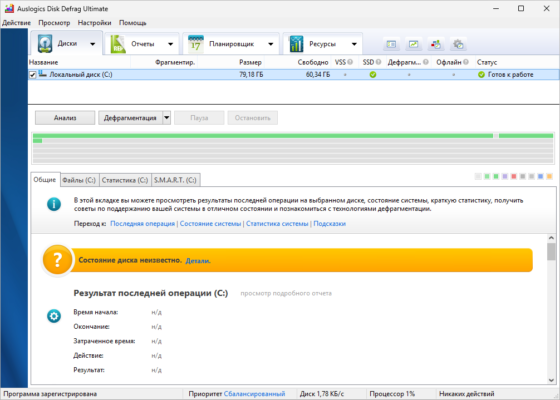
What is Auslogics Disk Defrag Pro?
Auslogics Disk Defrag Pro is a powerful disk management and optimization software. Unlike the built-in Windows defragmenter, this tool uses advanced algorithms to improve disk performance and extend the lifespan of both HDDs and SSDs.
Key Features of Auslogics Disk Defrag Pro 12.1.0.0
1. Advanced Defragmentation Algorithms
The software uses intelligent techniques to arrange fragmented files, improving read/write speed and reducing system lag.
2. SSD Optimization
Special algorithms ensure SSDs are optimized safely without unnecessary writes, improving efficiency and prolonging drive life.
3. Boot-Time Defrag
Defragment system files and registry entries that are usually locked while Windows is running, leading to faster boot times.
4. Free Space Consolidation
Combine free space into a single block to prevent future fragmentation and ensure smoother system performance.
5. Detailed Reports & Statistics
View detailed performance reports with charts, graphs, and real-time statistics to monitor optimization results.
6. Customizable Scheduling
Automate disk defragmentation with flexible scheduling options—daily, weekly, or monthly.
Benefits of Using Auslogics Disk Defrag Pro
Boost System Speed
Defragmented files load faster, resulting in quicker application launches and smoother multitasking.
Extend Drive Lifespan
Optimized disk operations reduce wear and tear on HDDs and prevent unnecessary write cycles on SSDs.
Stable Performance
By reorganizing system files, crashes and slowdowns caused by fragmentation are significantly reduced.
Flexibility and Control
Users can choose between quick defrag, full optimization, or customized defragmentation strategies.
What’s New in Version 12.1.0.0?
Improved optimization algorithms for faster processing
Enhanced SSD optimization methods for better safety
Bug fixes and stability improvements
Updated interface for a more user-friendly experience
System Requirements
OS: Windows 7, 8.1, 10, 11
Processor: Intel Core i3 or equivalent
RAM: 4 GB minimum
Storage: 100 MB free disk space
Other: Internet connection for updates
How to Use Auslogics Disk Defrag Pro
Download and install the program.
Select the disk drive you want to optimize.
Choose between Quick Defrag, Optimize, or Full Defrag.
Run the process and monitor progress with detailed reports.
Optionally, schedule automatic defragmentation for long-term performance.
Conclusion
Auslogics Disk Defrag Pro 12.1.0.0 is a reliable solution for keeping your system fast and responsive. Whether you’re using a traditional HDD or a modern SSD, this software ensures maximum performance with minimal effort.
If you want your computer to run faster, boot quicker, and stay stable over time, Auslogics Disk Defrag Pro 12.1.0.0 is one of the best optimization tools available.
✔ Tested: This software was tested on Windows 10 & Windows 11 and works smoothly without issues.
Frequently Asked Questions
- Is this software free?
Yes, it can be downloaded and used for free. - Does it support Windows 11?
Yes, it works perfectly on Windows 10 and 11. - Is it safe to use?
Yes, the software was scanned and tested before publishing.
Last updated: January 2026