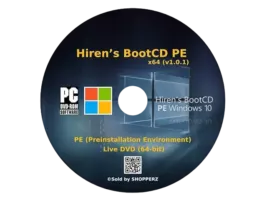
Hiren’s BootCD PE 15.2: Your Ultimate Offline Windows Recovery & Diagnostic Suite 🚀🛡️
When your Windows PC refuses to boot, suffers from malware, or needs deep system diagnostics, standard tools fall short. Hiren’s BootCD PE 15.2 (often called BootCD PE) is a custom Windows PE (Preinstallation Environment) live disk packed with hundreds of powerful utilities for system recovery, disk management, malware removal, hardware diagnostics, and data recovery.
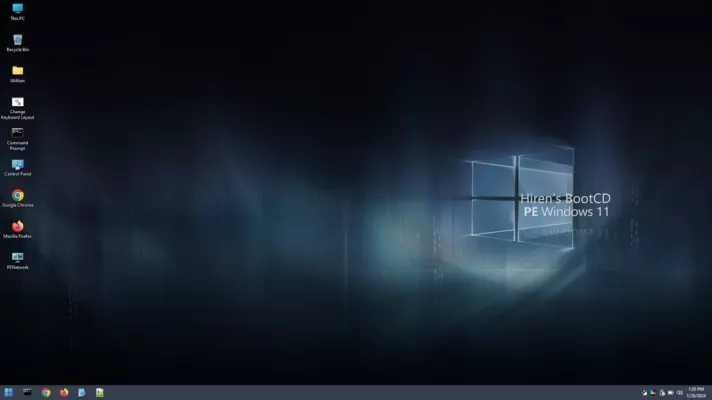
Created by Hiren Bhatt, this bootable environment provides essential tools for IT professionals, tech support, and advanced users to fix, diagnose, and recover Windows systems when the OS itself is inaccessible.
🎯 Why Use Hiren’s BootCD PE?
- ✅ Boots independently: Works even if Windows is broken
- ✅ All-in-One Toolkit: Hundreds of diagnostic and recovery tools included
- ✅ Offline Operation: Perform tasks without loading the main OS
- ✅ Malware Removal: Tools available even if malware blocks Windows
- ✅ Data Recovery: Retrieve files from unbootable systems
- ✅ Hardware Diagnostics: Test RAM, disk, CPU, etc., offline
Perfect for PC technicians, system administrators, and anyone needing to repair or diagnose a non-booting Windows PC.
✨ Key Features of Version 15.2
🛠️ 1. Extensive Tool Collection
- Disk Utilities: Partition managers, disk editors, clone tools
- System Recovery: Backup/restore, registry editors, password reset
- Malware Tools: Antivirus, rootkit scanners, cleanup utilities
- Hardware Diagnostics: Memory tests, disk benchmarks, system info
- Data Recovery: File undelete, disk imaging, backup tools
💾 2. Bootable & Portable
- Create bootable USB or DVD
- Runs entirely from RAM after booting
- No installation on target PC required
- Compatible with UEFI and Legacy BIOS
🔍 3. System Diagnostics & Repair
- Boot Manager Repair: Fix MBR, BCD, and boot files
- Registry Editing: Access and modify Windows registry offline
- System File Checks: Verify/repair core system components
- Hardware Information: Detailed system specs and status
🧊 4. Data Recovery & Security
- File Recovery: Restore deleted or lost files from damaged partitions
- Disk Wiping: Securely erase drives or free space
- Password Reset: Reset local Windows passwords
- Privacy Tools: Clean system traces and temporary files
🌐 5. Network & Connectivity
- Network Drivers: Built-in support for most adapters
- Internet Access: Browse web or download updates if needed
- Remote Access: Tools for connecting to other systems (if configured)
🛠️ Ideal For:
- PC Technicians: Diagnose and repair customer computers
- System Administrators: Recover servers or workstations
- Home Users: Fix boot issues or recover lost data
- Security Experts: Perform offline malware analysis
- Anyone: Needing powerful tools outside the Windows environment
💡 Tip: Always create a backup of important data before performing major repairs using BootCD PE.
🆚 Hiren’s BootCD PE vs. Windows Recovery Environment (WinRE)
Hiren’s BootCD PE provides a much more comprehensive and flexible offline toolkit.
⚠️ Important Notes
- Compatibility: Requires a PC capable of booting from USB/DVD (x86/x64).
- Usage: Intended for advanced users or technicians. Incorrect use of tools can cause data loss.
- Source: Download only from trusted sources to avoid modified (potentially harmful) versions.
- Support: Community-driven; relies on user knowledge and forums for help.
💡 Final Thoughts: The Swiss Army Knife of PC Recovery
Hiren’s BootCD PE 15.2 is the indispensable companion for anyone dealing with critical Windows system failures. Its vast collection of tools and ability to operate independently of the installed OS make it the go-to solution for complex recovery and diagnostic tasks.
🔧 Boot. Diagnose. Repair. Recover.
🔗 Official project source: Often distributed through community forums or aggregated tools. Ensure downloading from a reputable source. (Note: The original Hiren’s BootCD project has evolved; BootCD PE is a community-driven continuation based on Windows PE)
💻 Requires Windows PC to create the bootable media (USB/DVD).
✔ Tested: This software was tested on Windows 10 & Windows 11 and works smoothly without issues.
Frequently Asked Questions
- Is this software free?
Yes, it can be downloaded and used for free. - Does it support Windows 11?
Yes, it works perfectly on Windows 10 and 11. - Is it safe to use?
Yes, the software was scanned and tested before publishing.
Last updated: January 2026