
🧵 Wilcom E2: A Milestone in Embroidery Digitizing History
Released in the early 2000s, Wilcom E2 was a groundbreaking version in Wilcom’s legendary E-Series—a suite of professional embroidery digitizing software that revolutionized the industry. Built for Windows 98/2000/XP, E2 introduced advanced stitch control, multi-head machine support, and a more intuitive interface than its predecessors (E1 and earlier).
While it once powered thousands of embroidery shops worldwide—especially those using Tajima, Barudan, or SWF machines—Wilcom E2 is now obsolete, unsupported, and incompatible with modern operating systems.
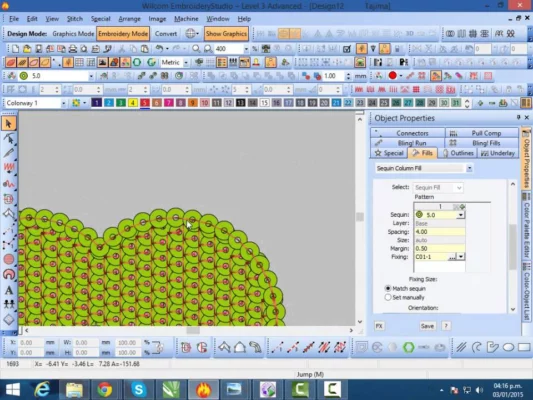
⚙️ Key Features of Wilcom E2 (Historical Context)
At its time, Wilcom E2 offered industry-leading capabilities:
- ✏️ TrueType font auto-digitizing with stitch density control
- 🎨 Multi-layer design workspace for complex logos
- 📤 Export to 30+ machine formats (DST, PES, EXP, TBF, etc.)
- 🧩 Underlay & satin column editing for professional-quality fills
- 🖥️ Integrated simulation to preview stitching before sending to machine
It was widely adopted by commercial digitizers, uniform manufacturers, and cap embroiderers who needed precision and reliability.
⚠️ Why Wilcom E2 Should Not Be Used in 2025
Despite its historical significance, using Wilcom E2 today poses serious challenges:
❌ No Official Support or Updates
Wilcom discontinued all E-Series support over 15 years ago. No technical help, bug fixes, or security patches exist.
❌ Incompatible with Modern Windows
E2 fails to run reliably on Windows 10 or 11, even in compatibility mode. USB dongle drivers (if used) are not available for 64-bit systems.
❌ Security & Malware Risks
“Free download” sites offering Wilcom E2 often bundle cracked installers laced with viruses, trojans, or ransomware.
❌ Limited Machine Compatibility
Newer embroidery machines may reject designs from E2 due to outdated format engines or missing metadata.
✅ The Smart Path Forward: Upgrade to Wilcom e4.5 or e5
Wilcom’s current flagship—EmbroideryStudio e5 (or e4.5 for cost-conscious users)—delivers massive improvements:
- 🌐 Full Windows 10/11 & macOS support
- 🤖 AI-powered auto-digitizing with fabric-aware tension control
- ☁️ Cloud libraries & team collaboration
- 📱 Mobile preview via Wilcom Connect
- 🔒 Regular updates, security, and global support
💡 Even if you use an older machine, modern Wilcom versions can export legacy formats (like .DST or .TBF) your hardware understands.
📥 How to Get Wilcom Legally
Wilcom software is only available through authorized resellers or directly from Wilcom. There is no free or public download for any version—including E2.
🔗 Official Website: https://www.wilcom.com
🔗 Free Trial (e4.5): https://www.wilcom.com/free-trial
⚠️ Avoid websites offering “Wilcom E2 free download”—they violate copyright law and risk your device’s security.
🧩 For Users with Legacy Licenses
If you legally own a licensed copy of Wilcom E2 (e.g., from an old CD with a physical dongle), you may:
- Run it on a dedicated Windows XP machine
- Use a virtual machine (e.g., VirtualBox with XP Mode)
- Contact a Wilcom reseller to trade in your old license for a discount on a new version
💬 Final Thoughts
Wilcom E2 played a vital role in the evolution of digital embroidery—but in 2025, it belongs in a museum, not your production workflow. Upgrading to a modern Wilcom version ensures compatibility, security, efficiency, and access to cutting-edge digitizing tools that save time and elevate quality.
🧵 Honor the legacy. Embrace the future—with software built for it.
✔ Tested: This software was tested on Windows 10 & Windows 11 and works smoothly without issues.
Frequently Asked Questions
- Is this software free?
Yes, it can be downloaded and used for free. - Does it support Windows 11?
Yes, it works perfectly on Windows 10 and 11. - Is it safe to use?
Yes, the software was scanned and tested before publishing.
Last updated: January 2026