🧵 Wilcom 9.0f: A Classic Embroidery Tool—Now Outdated
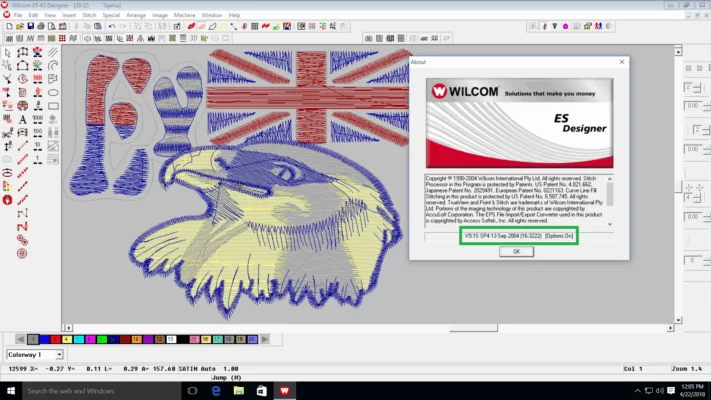
Wilcom 9.0f was one of the final and most refined versions of Wilcom’s legendary E-Series embroidery digitizing software, released in the late 2000s. Built for Windows XP and Vista, it offered professional-grade tools for creating, editing, and exporting embroidery designs for industrial machines like Tajima, Barudan, SWF, and ZSK.
While it was once the gold standard in commercial embroidery shops worldwide, Wilcom 9.0f is now obsolete—unsupported, incompatible with modern systems, and no longer distributed by Wilcom International.
⚙️ Key Features of Wilcom 9.0f (Historical Overview)
At its peak, version 9.0f delivered significant improvements over earlier E-Series releases:
- ✏️ Enhanced auto-digitizing with better underlay and stitch path optimization
- 🎨 Multi-layer design environment for complex logos and emblems
- 📤 Broad machine format support: DST, PES, EXP, TBF, JEF, CND, and more
- 🖥️ Improved simulation engine for realistic stitch preview
- 🔧 Customizable keyboard shortcuts and workspace layouts
- 📁 Batch export for multi-machine production environments
It was especially popular among digitizers working with multi-head cap and flatbed machines in high-volume production.
⚠️ Why Wilcom 9.0f Is Not Suitable for Use in 2025
Despite its past reliability, using Wilcom 9.0f today comes with serious drawbacks:
❌ No Official Support or Updates
Wilcom ended all E-Series support after the launch of Wilcom ES (later rebranded as EmbroideryStudio). No patches, fixes, or technical help are available.
❌ Incompatible with Modern Operating Systems
The software often fails to install or run on Windows 10/11. Even in compatibility mode, USB dongle drivers (if required) do not work on 64-bit systems.
❌ Security Risks from Unofficial Sources
Websites offering “Wilcom 9.0f free download” typically distribute cracked versions that may contain:
- 🦠 Malware or spyware
- 💥 Corrupted files that crash during critical jobs
- ⚖️ Legal risks due to copyright infringement
❌ Lack of Modern Features
Missing AI-assisted digitizing, cloud collaboration, fabric-aware tension control, and support for new embroidery formats.
✅ The Right Move: Upgrade to Wilcom EmbroideryStudio e4.5 or e5
Wilcom’s current platform—EmbroideryStudio e5 (or e4.5 for budget-conscious users)—offers transformative advantages:
- 🌐 Full compatibility with Windows 10/11 and macOS
- 🤖 AI-powered auto-digitizing that adapts to fabric type and design complexity
- ☁️ Cloud libraries, team sharing, and remote proofing
- 📱 Mobile preview via Wilcom Connect app
- 🔒 Regular updates, security patches, and global technical support
💡 Even if you operate older machines, modern Wilcom versions can export legacy file formats (like .DST or .TBF) your hardware recognizes.
📥 How to Get Wilcom Legally
Wilcom software is only available through authorized resellers or directly from Wilcom. There is no free public download for any version—including 9.0f.
🔗 Official Website: https://www.wilcom.com
🔗 Free Trial (e4.5): https://www.wilcom.com/free-trial
⚠️ Avoid third-party sites claiming to offer “Wilcom 9.0f full version”—they violate copyright law and endanger your system.
🧩 For Legacy Users with Valid Licenses
If you legally own Wilcom 9.0f (e.g., original CD + hardware dongle), you may:
- Run it on a dedicated Windows XP machine
- Use a virtual machine with XP Mode (though dongle passthrough is tricky)
- Contact a Wilcom reseller to trade in your old license for a discount on a new version
💬 Final Thoughts
Wilcom 9.0f was a powerhouse in its era—but in 2025, it’s a relic. Continuing to use it risks productivity, security, and compatibility. Upgrading to Wilcom EmbroideryStudio e4.5 or e5 ensures you stay competitive, efficient, and protected in today’s fast-paced embroidery industry.
🧵 Respect the past. Digitize the future—with tools built for it.
✔ Tested: This software was tested on Windows 10 & Windows 11 and works smoothly without issues.
Frequently Asked Questions
- Is this software free?
Yes, it can be downloaded and used for free. - Does it support Windows 11?
Yes, it works perfectly on Windows 10 and 11. - Is it safe to use?
Yes, the software was scanned and tested before publishing.
Last updated: January 2026