Adobe Premiere Pro 2025 (version 25.4) continues its legacy as one of the world’s leading professional video editing tools. Designed for filmmakers, YouTubers, broadcasters, and video production teams, this update brings AI-powered workflows, faster rendering, and refined creative tools to help you produce high-quality content in less time and buy .
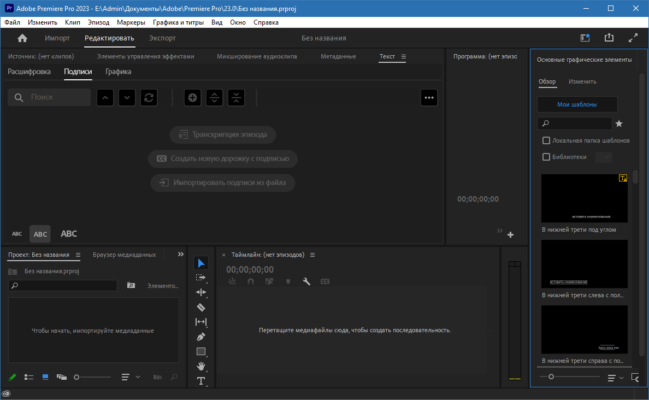
🚀 What’s New in Premiere Pro 2025 v25.4
🤖 AI-Driven Enhancements
Text-Based Editing: Automatically transcribes speech and lets you edit clips by editing text.
Auto Cut Detection: Detects and marks scene changes instantly.
AI-Powered Color Match: Harmonizes color tones between shots automatically.
🎨 Advanced Color Tools
HDR Support: Enhanced high dynamic range grading for modern displays.
Improved Lumetri Panel: More intuitive sliders and real-time previews.
Auto Tone Adjustments: Instant balanced exposure and contrast with one click.
🎵 Enhanced Audio Features
AI Noise Reduction: Removes background hums and distractions.
Speech Isolation: Isolates dialogue for clarity in interviews or vlogs.
Automatic Audio Ducking: Lowers background music when speech is detected.
⚡ Performance Boost
GPU Acceleration: More effects now use hardware rendering.
Faster H.264/H.265 Export: Optimized codecs for speed without quality loss.
Multi-Threading Improvements: Better CPU utilization for large projects.
🎯 Core Features You’ll Love
📽️ Professional Timeline Editing
Precise, frame-accurate editing with ripple, roll, and slip tools.
Unlimited video/audio tracks and nesting for complex sequences.
🌈 Creative Effects & Transitions
Dozens of customizable transitions, filters, and titles.
Built-in templates for intros, lower thirds, and motion graphics.
🖼️ Multi-Format Support
Supports 8K, VR, HDR, and multiple frame rates.
Works with footage from almost any camera or smartphone.
🛠️ Seamless Adobe Ecosystem Integration
Round-trip editing with After Effects, Photoshop, and Audition.
Access Adobe Stock templates and footage directly inside Premiere.
💡 Workflow Improvements in v25.4
🔍 Improved Search
Search faster in the Project panel, Media Browser, and Effects library.
🗂️ Better Media Management
New metadata tagging for easier sorting, plus color labeling for quick visual identification.
⏱️ Auto-Save & Version History
Restore previous versions of your project in case of accidental changes.
📋 System Requirements
OS: Windows 10/11 (64-bit) or macOS 12+
CPU: Intel® 6th Gen or newer / AMD Ryzen 3000+
RAM: 16 GB minimum (32 GB recommended for 4K)
GPU: 4 GB VRAM minimum, supports CUDA, OpenCL, or Metal
Storage: SSD recommended for media and scratch disks
💼 Who Is Premiere Pro 2025 For?
🎬 Filmmakers – For professional-grade film and documentary editing.
📺 Broadcasters – For high-quality television production.
📱 Content Creators – For social media videos, reels, and YouTube.
🏢 Corporate Teams – For marketing, training, and presentation videos.
✅ Final Verdict
Adobe Premiere Pro 2025 v25.4 blends professional control with modern automation, allowing you to edit faster without sacrificing quality. Whether you’re crafting cinematic productions or quick online content, its combination of AI tools, performance boosts, and creative flexibility makes it one of the most complete video editors available today Photoshop, Illustrator and InDesign..
✔ Tested: This software was tested on Windows 10 & Windows 11 and works smoothly without issues.
Frequently Asked Questions
- Is this software free?
Yes, it can be downloaded and used for free. - Does it support Windows 11?
Yes, it works perfectly on Windows 10 and 11. - Is it safe to use?
Yes, the software was scanned and tested before publishing.
Last updated: January 2026