🖼️ Overview of John’s Background Switcher 6.0.0.5
John’s Background Switcher 6.0.0.5 is a lightweight yet feature-packed wallpaper manager designed to keep your Windows desktop fresh and inspiring. Developed by John Conners, this free application automatically changes your desktop background at intervals you set — pulling images from your own collection or from a variety of online sources.
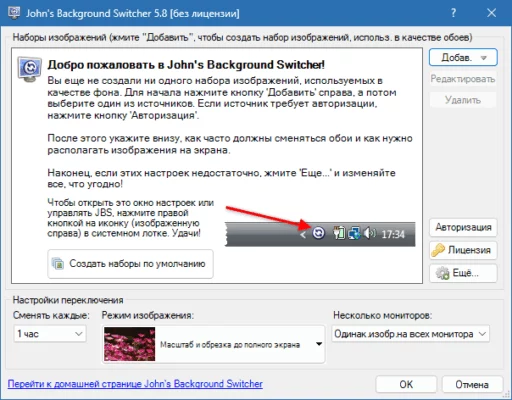
Instead of manually changing wallpapers, you can let the program do it for you — creating a constantly updated, personalized slideshow right on your desktop.
Whether you prefer scenic landscapes, personal photos, or art from the web, John’s Background Switcher (JBS) makes your workspace vibrant, dynamic, and uniquely yours.
⚙️ Key Features
🖼️ Automatic Wallpaper Switching
Set custom intervals (from seconds to hours) to change wallpapers automatically — keeping your desktop lively throughout the day.
🌐 Multiple Image Sources
JBS supports an impressive range of sources, including:
Local folders on your computer
Flickr and Google Photos
Unsplash and Pixabay
Facebook and Instagram albums
OneDrive, Dropbox, and SmugMug
🧩 Collages and Montages
Display multiple photos in one background using creative layouts and grids. The app automatically arranges your images for artistic and visually pleasing compositions.
🕓 Flexible Scheduling
Control how and when your wallpapers change. Choose between random selections, specific albums, or time-based playlists that match your mood or workflow.
🖥️ Multi-Monitor Support
Perfect for users with multiple displays — each screen can have its own unique wallpaper or a panoramic image spanning across all monitors.
🧠 Smart Caching
To ensure smooth performance, JBS caches images locally for fast loading, even when using online sources.
🆕 What’s New in Version 6.0.0.5
The 6.0.0.5 release introduces a series of updates and enhancements for improved performance and user experience:
🚀 Optimized memory and CPU usage for smoother background transitions
🧩 Enhanced Unsplash and Flickr API integration
💡 New collage templates and random layout generator
🔒 Security and connection stability improvements for cloud photo services
🎨 Updated interface with modern Windows 11 design consistency
🧰 Minor bug fixes and improved support for high-DPI screens
💡 Why Use John’s Background Switcher?
Unlike basic wallpaper tools, John’s Background Switcher focuses on variety and personalization. It brings your favorite images to life, turning your desktop into an ever-changing photo gallery.
It’s also incredibly lightweight — consuming minimal resources — and runs quietly in the background. The app gives you total control over your photo sources, transitions, and display styles, ensuring your desktop always feels fresh and personal.
💼 Ideal For
Home Users: Display personal photo albums, vacation pictures, or artwork.
Designers & Photographers: Showcase portfolios directly on the desktop.
Productivity Enthusiasts: Boost mood and creativity with rotating scenic wallpapers.
Multi-Monitor Users: Add unique visuals to each screen effortlessly.
💻 System Requirements
OS: Windows 10 / 11 (64-bit recommended)
Processor: 1 GHz or faster
RAM: Minimum 2 GB
Storage: 150 MB free disk space
Internet Connection: Required for online image sources
🧠 Tips for the Best Experience
Use the Collage Mode for a creative blend of images.
Connect your Google Photos or Flickr accounts for automatic synchronization.
Enable Pause Mode when gaming or watching full-screen videos to save resources.
Schedule changes to match your work sessions or mood.
🏁 Final Thoughts
John’s Background Switcher 6.0.0.5 is one of the most enjoyable ways to personalize your Windows desktop. With its seamless wallpaper rotation, cloud integration, and stunning collage options, it transforms your computer into a dynamic digital art display.
Whether you want inspiration, relaxation, or just a fresh look every day — this tool keeps your desktop exciting without effort.
✔ Tested: This software was tested on Windows 10 & Windows 11 and works smoothly without issues.
Frequently Asked Questions
- Is this software free?
Yes, it can be downloaded and used for free. - Does it support Windows 11?
Yes, it works perfectly on Windows 10 and 11. - Is it safe to use?
Yes, the software was scanned and tested before publishing.
Last updated: January 2026