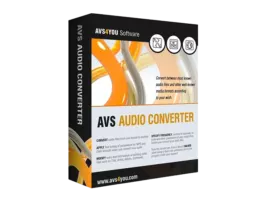
Overview of AVS Audio Converter 11.3.4
AVS Audio Converter 11.3.4 is a professional-grade audio conversion software designed to help users quickly convert, edit, and manage audio files in multiple formats. Developed by AVS4YOU, this tool is ideal for musicians, audio engineers, and everyday users who need a reliable solution for format compatibility, high-quality exports, and simple editing.
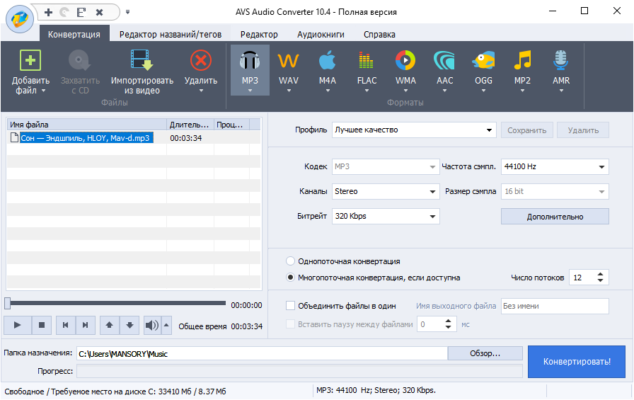
The latest version enhances performance, adds modern codec support, and introduces faster batch processing. With an intuitive interface and advanced settings, AVS Audio Converter makes audio conversion accessible to everyone — from beginners to professionals.
Key Features
Wide Format Support
AVS Audio Converter supports all major audio formats, including MP3, WAV, FLAC, M4A, AAC, OGG, AMR, and WMA. You can easily convert audio files between different formats while maintaining the original sound quality.
Batch Conversion
With its batch mode, you can convert hundreds of files at once. This feature saves time and ensures consistency across your entire audio library, whether you’re preparing files for playback devices or professional editing.
Audio Editing Tools
The software includes basic editing options such as trimming, merging, splitting, and applying effects. You can cut unwanted parts or combine multiple tracks into one seamless audio file.
Customizable Output Settings
Users can control key parameters like bitrate, sample rate, and channel type. These options allow for precise sound optimization depending on the target device or purpose, whether it’s for music production, streaming, or archiving.
Extract Audio from Video
AVS Audio Converter can extract high-quality sound from video files. It supports popular video formats like MP4, AVI, MOV, and MKV — making it a great tool for creating podcasts, remixes, or standalone soundtracks.
Tag Editing and Metadata Support
Manage your audio metadata by editing tags such as artist, title, album, and genre directly within the program. This ensures your library remains organized and properly labeled across devices and players.
What’s New in Version 11.3.4
The 11.3.4 release brings several improvements and optimizations:
Updated audio codecs for improved compatibility and sound fidelity
Enhanced user interface with better workflow navigation
Faster batch conversion and reduced CPU usage
Added support for new file extensions and higher bitrates
General performance and stability improvements
Benefits of Using AVS Audio Converter
High-Quality Output
The software maintains excellent sound quality throughout the conversion process, ensuring minimal loss and clean, professional-grade results.
Easy to Use
Thanks to its user-friendly design, even beginners can convert audio files without prior experience. The layout is straightforward, and key functions are accessible in a few clicks.
Efficient for Professionals
For studios and content creators, batch processing, custom profiles, and metadata management make AVS Audio Converter a valuable asset in any audio workflow.
Conclusion
AVS Audio Converter 11.3.4 remains one of the most complete and dependable tools for handling audio conversion tasks. It combines flexibility, precision, and ease of use — allowing users to convert, edit, and manage audio files efficiently. Whether you’re converting songs for personal use, preparing sound files for production, or editing podcasts, AVS Audio Converter delivers top-tier results with every project.
✔ Tested: This software was tested on Windows 10 & Windows 11 and works smoothly without issues.
Frequently Asked Questions
- Is this software free?
Yes, it can be downloaded and used for free. - Does it support Windows 11?
Yes, it works perfectly on Windows 10 and 11. - Is it safe to use?
Yes, the software was scanned and tested before publishing.
Last updated: January 2026